Shopify SEO guide
Shopify SEO is an umbrella term for all the efforts you make to help your Shopify webshop rank higher in Google. The focus lies on the three SEO pillars: technical, content, and authority.
Some SEO experts say that Shopify isn’t ideal for SEO and advise you to switch to another system. There are indeed extra challenges. We’ll show you here what those are and how to handle them.
Because these figures prove that it is possible:

By technically optimizing your Shopify webshop, publishing strong content, and building authority, your Shopify webshop will rank high in search engines.
How? We’ll explain it to you step by step in this Shopify SEO guide.
What you need to know before starting your Shopify SEO
Want to start the SEO optimization of your Shopify webshop? Then you need to understand a few important things clearly.
First and foremost, it’s important that you’re on board with the SEO mindset. SEO is a long-term strategy. It’s not fixed in no time. On average, it takes 6 – 12 months before your business sees results from your efforts. With some patience and extra effort, your Shopify webshop will also enjoy the benefits of SEO.
Are you completely new to SEO? Then it’s important to understand how SEO works. Google uses more than 200 SEO factors to determine the order of search results. Do you understand Google’s algorithm? Then you know how to build your roadmap.
With a Shopify webshop, you focus on e-commerce SEO for webshops. The difference with general SEO lies mainly in the way a webshop works and is structured.
Do you have a B2B target audience? Then definitely take a deep dive into B2B SEO.
Okay, now that you know what SEO is and which tools you need, it’s time for the real Shopify SEO work.
Before you can get started with your SEO, your webshop must be technically in top shape. We’re happy to give you an overview of the technical SEO factors.
Only then will your efforts be rewarded by search engines. Still experiencing technical SEO problems? Then contact an SEO expert.
Your webshop must be technically sound, period.
Install SEO plugins
To simplify your Shopify SEO, it’s best to install SEO plugins on your webshop. This gives you more optimization options. Shopify offers various SEO plugins.
Avada SEO suite
Avada SEO suite is a Shopify SEO plugin that supports you in building your on-page SEO. This tool was designed to optimize your webshop structure and images.
SEO Manager
SEO manager is an incredibly useful tool for Shopify webshops. This plugin has more than 20 features including the Google results simulator, advanced meta settings, and a Google mobile-friendly test.
Even without tools, you already have several SEO options in Shopify. You can fill in a clear title description for all your products and set your meta settings correctly. You have the same options for your categories. By optimizing these things, you’re already taking your first steps in the right direction.
Check your loading speed
As mentioned above, the loading speed of your pages is an important SEO factor. Therefore, choose a Shopify theme that isn’t too heavy and has a limited impact on your page loading speed.
Also, make sure you use the right images. The images you publish on your webshop are best at 600 – 800 px by 600 – 800 px to limit the influence on your loading speed.
Is your webshop loading too slowly? Check if your current theme is too heavy and negatively affects your loading speed. Also double-check if your images aren’t too large.
An important factor for Google and your visitors is the infrastructure of your webshop. By webshop architecture, we mean SEO-friendly content, search engine-friendly URLs, and navigation.
Discover how to plan an SEO-friendly website architecture.
Small disclaimer: it’s not possible to build your Shopify URLs from scratch. You’ll read more about that later.
Once your webshop is technically sound and your architecture is optimized, it’s time to publish SEO texts. This is a long-term process. You need to publish relevant, interesting content based on your keywords.
- Perform keyword research
- Determine which keywords are interesting for you
- Write an SEO text for all your relevant keywords
- Publish the texts on your webshop
- Optimize based on your results in Google Search Console
You can have your texts written by an SEO copywriter or you can write your SEO texts yourself.
Think in content clusters
Your keyword research will undoubtedly reveal keywords with a high search volume. These keywords often have a lot of competition.
Just started with SEO? Then you don’t have much authority yet. Ranking for competitive keywords is certainly possible, but you’ll have to put in some extra effort.
The ideal solution for this is a content cluster.
In Shopify, you can optimize your meta titles and descriptions. This is the first thing a searcher sees in Google’s search results. It’s important for both your searcher and Google that they know at a glance what your text is about.
Tip
Google is smart. This allows the search engine itself to set a meta title and description based on the content of your article. But Google isn’t smarter than an SEO specialist, so always set your meta description manually.
Want to snag one of those coveted top spots in Google? Then you have to give it your all. Optimize every image in your Shopify webshop.
In our image SEO guide, we’re happy to explain how to do that.
With a sitemap, you provide search engines with a map of all the URLs in your Shopify webshop. A sitemap is built in XML format, which is why it’s often called an XML sitemap. By submitting a sitemap, Google knows exactly which pages exist and need to be crawled.
As mentioned earlier, SEO is a long-term strategy. You won’t get there by just publishing a few texts. Keep analyzing your position for every keyword and optimize where necessary: welcome to the SEO loop.
- Do keyword research
- Create your content
- Promote your content
- Collect backlinks
- Follow up on your content
- Update your content regularly
Keep repeating this process. Is your webshop optimized? Keep feeding and maintaining it. If you don’t, your efforts will have been in vain and your results will be lost.
Google changes its algorithms daily. Several times a year, these are major changes with a lot of impact. Stay informed and adjust where necessary.

Something many SEO experts stumble over? Shopify URLs. In traditional SEO, a website structure is developed from scratch. However, Shopify adds unhelpful text to your URLs by default.
For example:
- / products / is added to all product URLs.
- / posts / is added to all post URLs.
- / pages / is added to all page URLs.
- / collections / is added to all product category URLs.
Despite the fact that these additions don’t contribute to your SEO, you can ensure that your SEO doesn’t suffer. Make sure the rest of your URL is to-the-point, short, and optimized for your keyword.
Good example of a Shopify URL:
posts/shopify-seo-guide
Bad example of a Shopify URL:
/posts/zo-optimaliseer-je-je-shopify-website-voor-seo
Additionally, every URL is on the same level; you can only play around with this to a limited extent.
Ideally, you would build your category URLs like this: /collections/main-category/sub-category. But that’s not possible in Shopify.
That’s why internal links in combination with content clusters are essential for your Shopify SEO.
Okay, you now understand what Shopify SEO is. Do you have a webshop in Shopify? Then definitely read on. Because in this part, we’re taking a deep dive into Shopify SEO for webshops.
In essence, a webshop is just a regular website. Our SEO manual is therefore also applicable to webshops.
Use transactional keywords
Your webshop focuses on the (immediate) sale of a product or service: you want to sell. Therefore, focus primarily on transactional keywords. After all, your income comes from commercial search queries.
Still, informative keywords remain interesting. Because that’s where your visitor recognizes touchpoints, which helps you build trust.
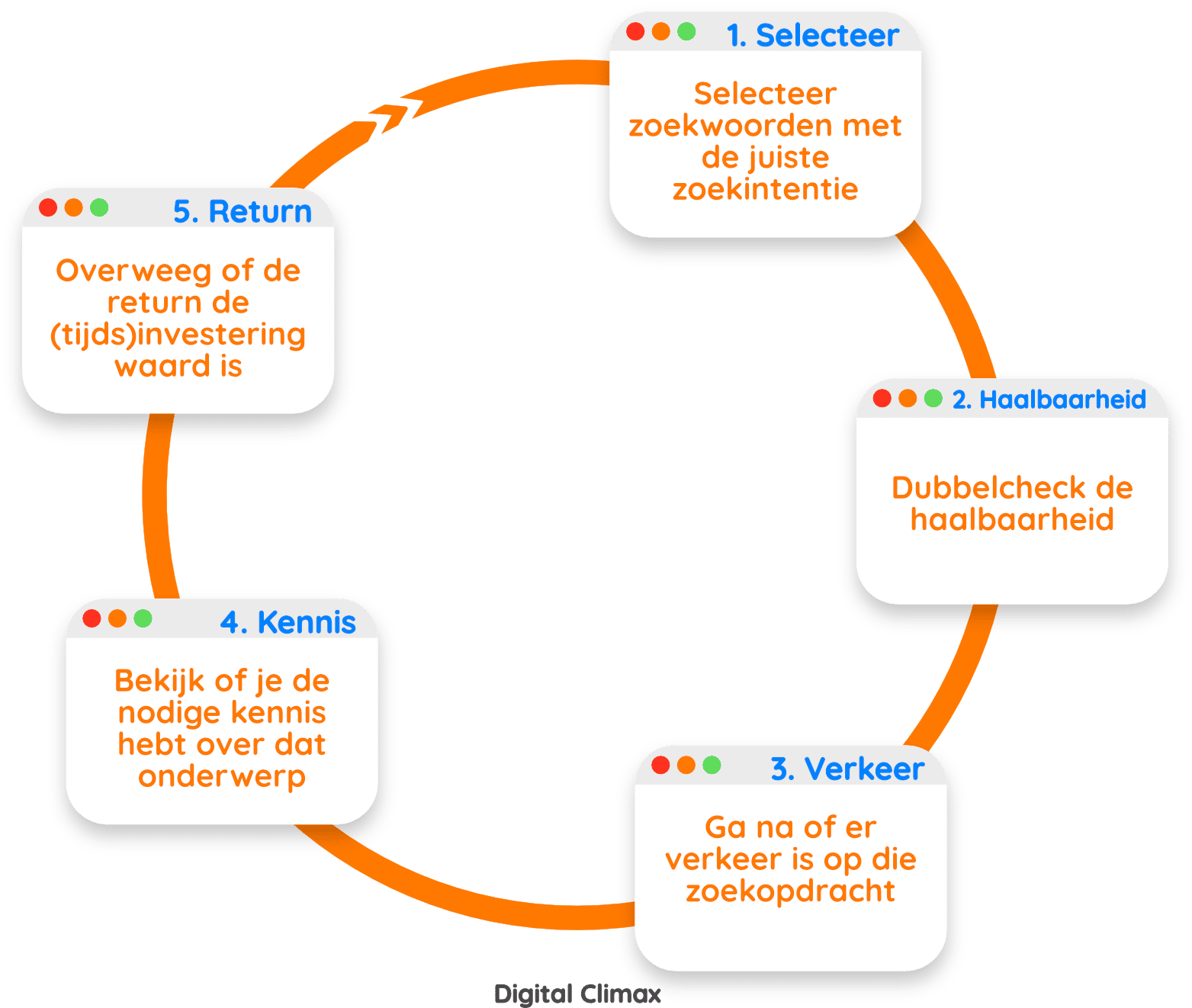
Long-tail keywords for webshops
Sometimes long-tail keywords with relatively little traffic are more interesting than a general search query with a lot of traffic. For instance, 100 keywords with 10 searches per month are often more valuable than one general query with 1,000 monthly queries.
Why? If you rank #1 for those 100 keywords, you’ll bring in more traffic than ranking somewhere at the bottom for a keyword with 1,000 searches per month. Use search intent as the deciding factor to determine your keywords.
Read more about e-commerce SEO for webshops.
Tip
Look at large e-commerce sites like Amazon, Bol.com, or Coolblue. Enter a keyword and you’ll immediately see what other suggestions they give. Those are the search queries for their webshop that give you a nudge in the right direction.
This case proves it:
How did we go about it?
- Technical optimization of the webshop
- Clear structure and coherence of the categories
- Optimized product images and descriptions
- Added category texts
- Optimized meta titles and descriptions
- Strong focus on internal linking
Want to get started professionally and purposefully with your Shopify SEO? At Digital Climax, we give 150% to get your webshop to the top of Google. In doing so, we focus on results and your company’s objectives.
We’re happy to use our expertise to help your webshop grow. An investment where you can’t lose.
Ready to start your SEO trajectory?
Just like with any SEO trajectory, you also need tools for Shopify SEO. This makes SEO easier and more accessible.
We’ll start with the all-in-one SEO tools. You use these tools for various purposes. They offer keyword tools, website analyses, backlink analyses, and much more.
Ahrefs
Ahrefs is our personal favorite and one of the most comprehensive SEO tools at the moment. Ahrefs has the following features:
- Site Explorer: this allows you to check a website’s backlink profile and perform competitor research.
- Keywords Explorer: the tool to perform your keyword research with.
- Site Audit: analysis tool that maps out your on-page SEO performance.
- Rank Tracker: to keep an eye on your position in the search results.
- Content Explorer: this allows you to analyze all content within your sector.
Getting started with Ahrefs? Then definitely read our Ahrefs manual.
Semrush
Another very well-known and popular tool is Semrush. This tool offers you the following possibilities:
- Keyword Research Tool Kit: insight into the use and competition of keywords, showing relevant and comparable keywords, indicating keyword difficulty, …
- Perform website analysis and set up points for improvement.
- Provide insight into backlinks and advice on how to earn more backlinks.
- Competitor analysis in Google Ads and Google Shopping.
In addition to all-in-one tools, there are also tools specifically aimed at keyword research.
Screaming Frog
Screaming Frog is an SEO spider or crawler that helps you optimize your on-page SEO. This tool gives you numerous insights:
- Detect broken links
- Analyze meta titles and meta descriptions
- Detect duplicate content
- Generate XML sitemaps
- Extract data from a website’s HTML
- Crawl Javascript websites
- Schedule crawls
- View robots.txt, meta robots tag, x-robots tag, canonical tags, follow/nofollow, and index/noindex tags
- Connect with Google Analytics, Search Console, and PageSpeed Insights
- Visualize your website architecture
- Compare crawls
Detailed SEO Browser Extension
The first tool for website analyses is a browser extension. With the Detailed SEO extension, you can easily view all information about a page’s SEO.
- The title, meta description, and URL of the webpage
- If applicable: the canonical tag, robots tag, and x-robots tag
- The length of the text, the language, the author, and possibly the keyword
- The heading structure of the page
- An overview of all incoming and outgoing links
- An overview of the number of images and how many contain an alt tag and title
- The schema used on the page
- Information about the website’s social media
Additionally, you can also perform a number of tasks with the extension, such as highlighting nofollow links and detecting duplicate content.
In our Detailed SEO Browser Extension manual, you’ll find all the explanation you need to use this tool.
Answer The Public
Answer the Public is one of the best-known SEO tools to start or expand your keyword research. How does this tool help you move forward?
- Shows you relevant keywords for a topic
- It gives you inspiration and ideas for new content
- Ideal for finding long-tail keywords
- Automatically supplements your keyword with questions: what, how, why, when …
Our AnswerThePublic manual will undoubtedly help you on your way with this handy SEO tool.
PageSpeed Insights
PageSpeed Insights is a tool from Google itself. This tool gives you a detailed insight into your website’s loading speed.
- How fast or slow your website loads
- How well your website scores on the Core Web Vitals
- You get recommendations that can help you load your website faster
- You can request the information for both desktop and mobile
Tip: Google is attaching more and more importance to fast loading times. So definitely use the insights from this tool in the SEO optimization of your Shopify webshop.
Indispensable extra tool for your Shopify SEO
Google Search Console is without a doubt one of Google’s best-known tools. This tool is indispensable for the SEO optimization of your Shopify webshop. The main features of Google Search Console are:
- Getting a page indexed quickly
- Performing keyword research
- Checking Schema.org
- Removing content from Google
This tool is truly indispensable for a successful SEO trajectory. That’s why we wrote a Google Search Console guide for you that takes you through the tool step by step.