
Digital Climax SEO Tool Extension
Free SEO extension tells you everything about every web page
As an experienced SEO agency, Digital Climax is launching its own SEO Tool extension. With just a few clicks, you can find out everything you want to know about your own web pages or those of your competitors.
- The Main Issues at a Glance
- In-depth analyses of technology and content
- Highlight internal and external links
- Copying styling elements such as colors and fonts
- Direct links to external tools
Download the Digital Climax SEO Tool for free, pin it to your browser, and improve your SEO.
Stay Ahead of the Competition with Our Chrome Extension
Ranking high in search results means greater visibility, more visitors, and more leads. To secure that coveted top spot, you need to focus on search engine optimization. To do that, you’ll need to work on the technical aspects behind the scenes, the content on your pages, and your off-page authority.
With the Digital Climax SEO Tool, you can immediately identify areas for improvement on your own pages. Or you can use it to see how your competitors have structured their websites.
Features of Our SEO Extension

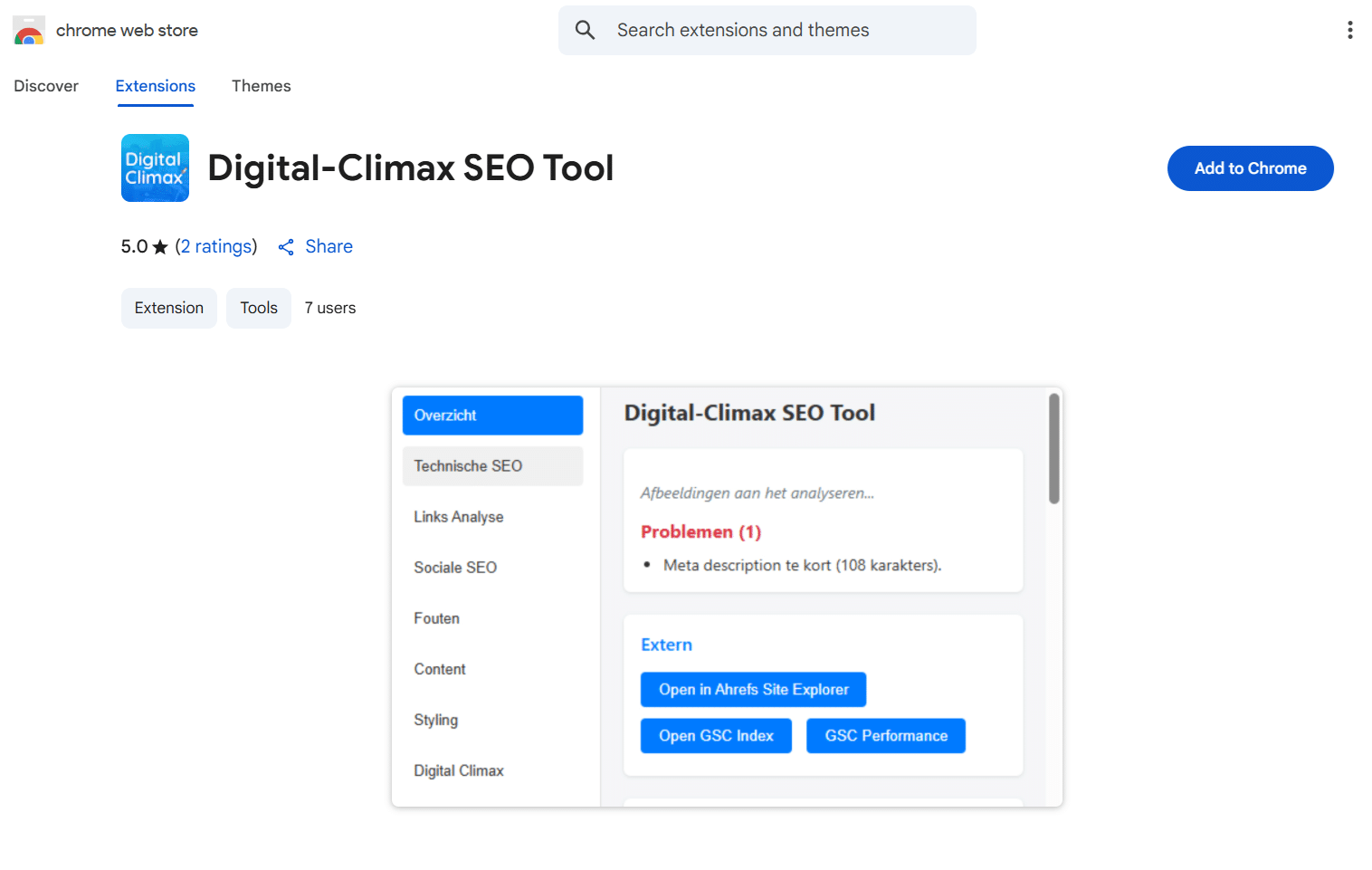
Overview
- Issues: The number of issues and a brief description of the clearly visible SEO pain points on the page where you click to open the SEO Tool.
- External: Open reports in Ahrefs Site Explorer (read our Ahrefs guide), the GSC Index, or GSC Performance (learn more in our Google Search Console guide).
- Crawlability: If your page is set to “noindex,” crawlers won’t even look at it, whereas with “nofollow,” they won’t follow the links on the page.
- Meta tags: Here you’ll find not only the metadata—namely, the page title and meta description—but also the canonical URL.
- Headings: a very handy overview of your page’s heading structure—do all the headings follow each other in a logical order?
- Word count: the number of words on the page.
- Images: a list of all images—click on them to view the alt tags, image titles, and URLs, and hover your mouse over the block to display the image.
- SEO-friendly URL: Is the page’s URL structured logically?
- Hreflang tags: Here you can see if the page is also available in other languages and, if so, which ones.

Technical SEO
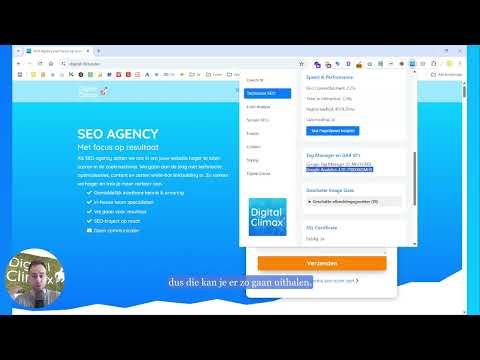
- CMS: Tells you which Content Management System this website was built with, such as WordPress, Drupal, or Joomla.
- Redirect path: If you visit a URL that has a 301 or 302 status code, you’ll find it here.
- Schema Markup: the various schemas associated with the page, plus a button to run Google’s Rich Results Test.
- Structured Data: Select one of the schemas and view the corresponding structured data —or use our Structured Data Generator to add it.
- Speed & Performance: Find out how the page scores on key speed metrics and run a comprehensive test using Google PageSpeed Insights.
- Tag Manager & GA4 IDs: the identification codes for Google Tag Manager and Google Analytics.
- Estimated Image Sizes: Click to open and view the image sizes, and hover over a block to display the image itself.
- SSL Certificate: Because secure websites are the norm today
- Breadcrumbs: direct links to the URLs in the breadcrumbs.
- Sitemap: The URL of the sitemap, which should contain all the URLs on the website.
- txt: The URL of the robots.txt file, which specifies how crawlers are allowed to access the website.

Links Analysis
- Highlights all links on the page in yellow.
- Links: Click to expand and view all anchor texts and URLs for internal links, external links, and contact links (email addresses and phone numbers).
- Broken links: Find out if there are any links on the page that lead to unreachable pages (with a 404 status code).

Social SEO
- Social Media Previews of the Page
- Any errors can be found at the top
- View the Open Graph + Twitter Card
- Discover Google Search Links, which appear as additional results in the SERP

Errors
- A handy list of all broken or missing parts on the page.

Content
- Find out how many words are on this page.
- Copy the content from the front end, either in HTML format or as plain text.

Styling
- All colors used in the text and elements, plus the ability to copy their color codes.
- The fonts and font sizes of the various typefaces on the page.


SEO extension, proudly brought to you by Digital Climax
Digital Climax is an SEO agency that helps you achieve higher rankings. To that end, we’ve already developed several free tools:
- Structured Data Generator, for easily adding structured data to your pages
- SEO Strategy Builder: Use Your Data More Effectively for Your SEO Strategy
- SERP Simulator, to see how Google displays your page in the search results
Use them to improve your own rankings, or enlist our help to work on your SEO efficiently.
Digital Climax SEO Tool, the Chrome extension for higher rankings
With Digital Climax’s free SEO Chrome extension, you can gain in-depth insights into your own website and those of your competitors with just a few clicks.
From technical SEO to content, from internal links to external authority, everything is clearly analyzed right in your browser.
You can effortlessly copy design elements, identify areas for improvement, and navigate directly to additional tools.
In short: one handy extension to help you approach SEO more strategically and always stay one step ahead of the competition.
