
SEO Architect tool
The SEO software we were always missing.
Want to build a successful website with a focus on structure and growth? Rely on our all-in-one platform:
- Sitemap tool & keyword mapping
- SEO strategy planning
- Wireframes & content creation (+ feedback module)
- AI & GEO tracking
- Data analysis & enrichment
- Technical audits (for non-technical people too)
- All with AI support (obviously!)
The bigger your website, the faster you lose the overview. That is why we built the Architect tool. Not the kind that designs houses, but the kind that maps out your website: a visual sitemap with every page, every keyword and every status on one screen. You plan, build and follow up together with your team or your agency.

A well-thought-out website architecture is essential
Visitors find what they are looking for faster, get in touch sooner or buy straight away. Sounds like the ideal world, right?
For that you need a website with structure. Often that only comes afterwards.
Take a step back. First think about what your website has to do, what it has to say and what the whole picture is.
Afterwards, too, you follow up your entire SEO & AIO strategy in one platform. With AI support if you want it.
How to write pages with our Architect tool: step by step
The Architect is not difficult at all. Your colleagues use the tool without any trouble after a short explanation:
- Log in or sign up for the Architect tool
- Create a project and give it a name
- Design a clear structure for your website using a main page and subpages
- Get to work page by page
- Create an outline and write your content
- Give each other feedback. Have a colleague proofread your copy.
- Update the status of your page with a colour code at every new stage
- Put your page officially on your website
The benefits of an all-in-one platform
- Structure from first idea to optimisation
- One central platform
- Access to up-to-date data
- No technical background needed
- Collaboration at every level of the company
- AI support at every stage of your project

Create a website structure and collaborate at every level of the company
Sharing website architectures with colleagues, collecting feedback or briefing developers goes smoothly, without extra tools or exports.
Everything stays centralised, clear and up to date. Combined with the data-driven approach of Digital Climax, this tool fits modern SEO, content marketing and AI optimisation perfectly.
- Marketers and strategists easily create a sitemap with the matching wireframes.
- Copywriters and SEO experts can go all out with the keyword checker and the automatic content generator.
- Web designers and developers then bring all this information together clearly and build it into a good-looking, functional and high-ranking website.
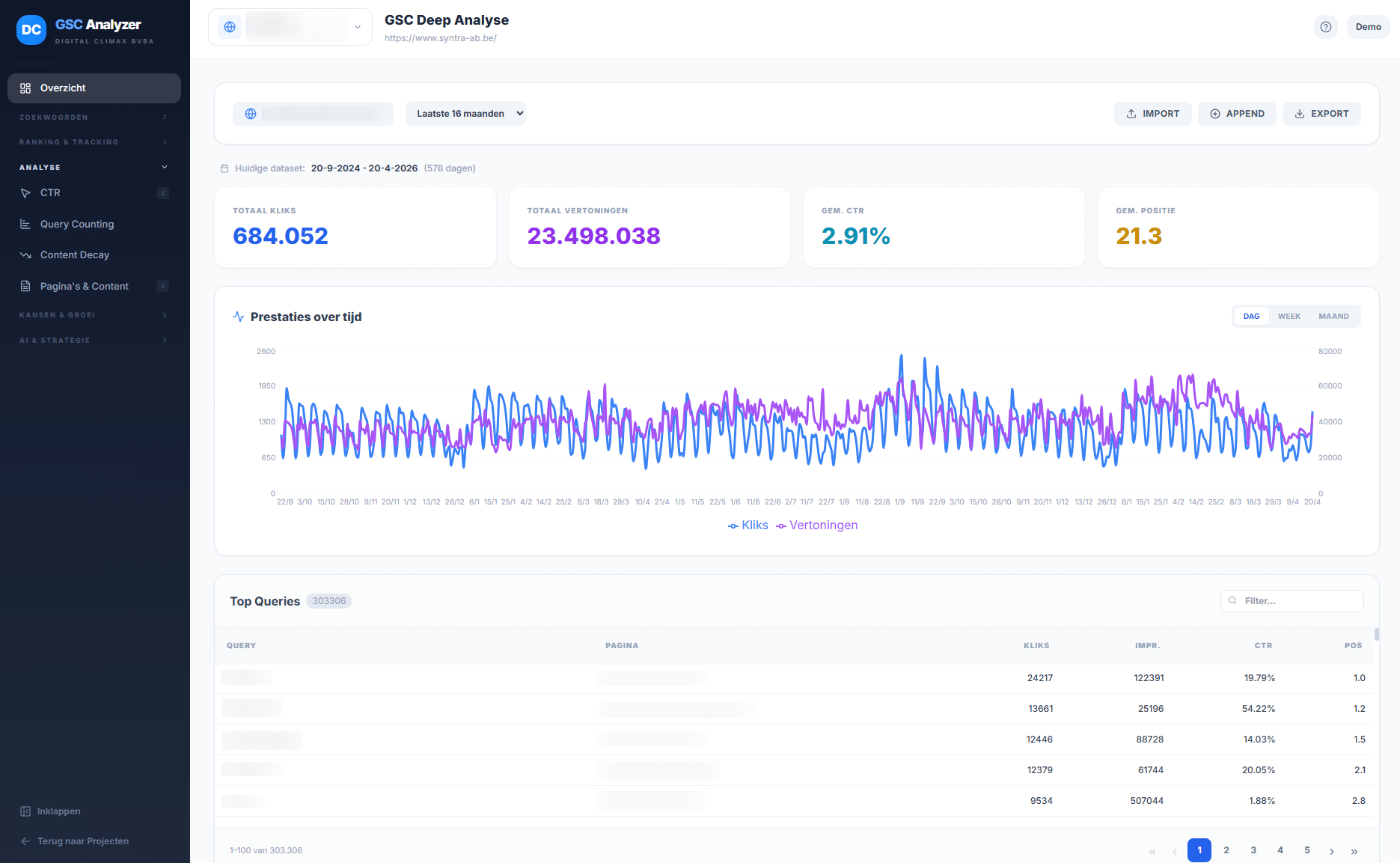
Choose an all-encompassing website builder
Not keeping an overview of your website, so pages multiply and any logical coherence is missing? That may work for a compact site, but for larger websites it rarely creates clarity.
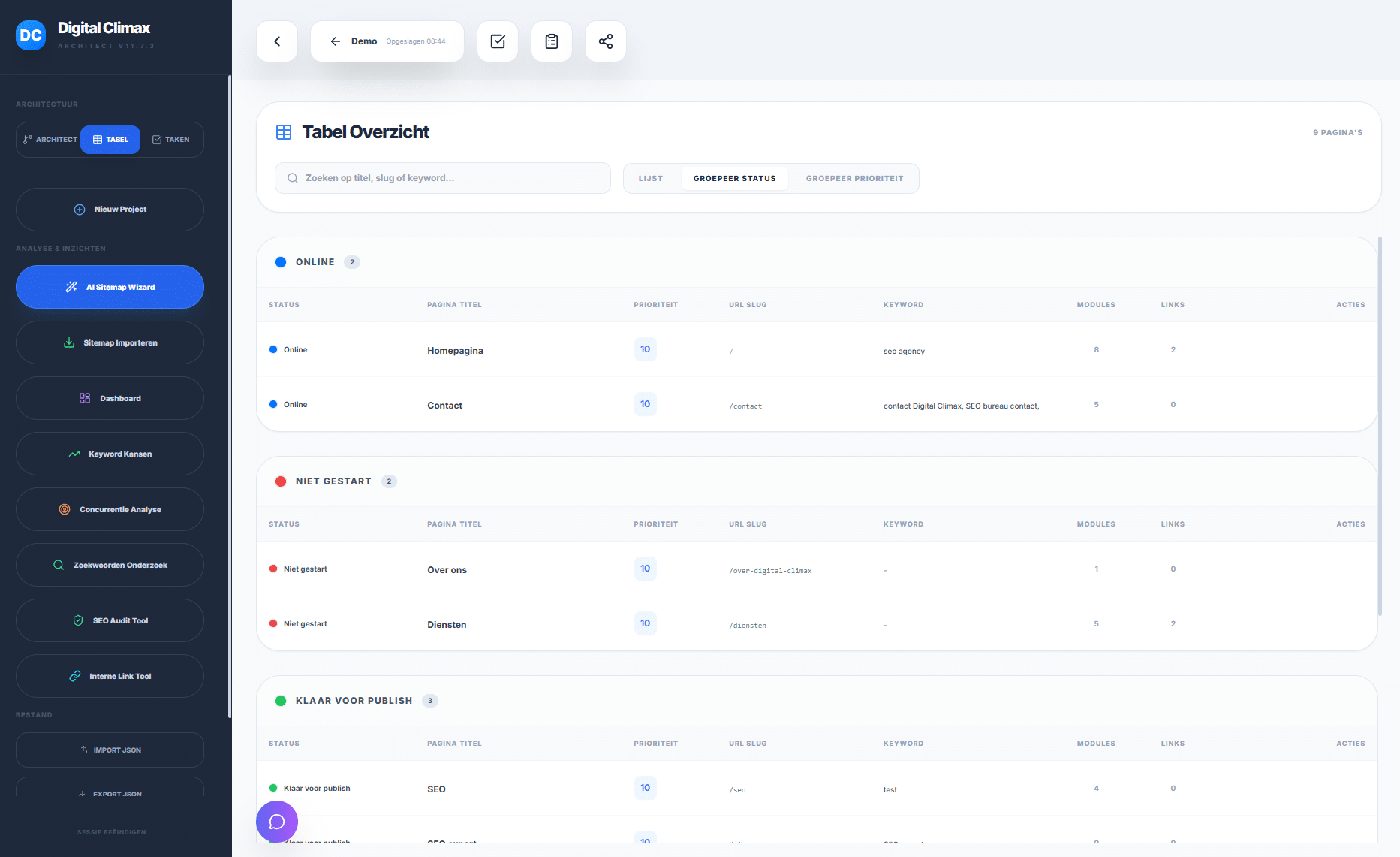
Table view
The table view shows you the status of every page efficiently. You know exactly what still needs to be done and what is already online.
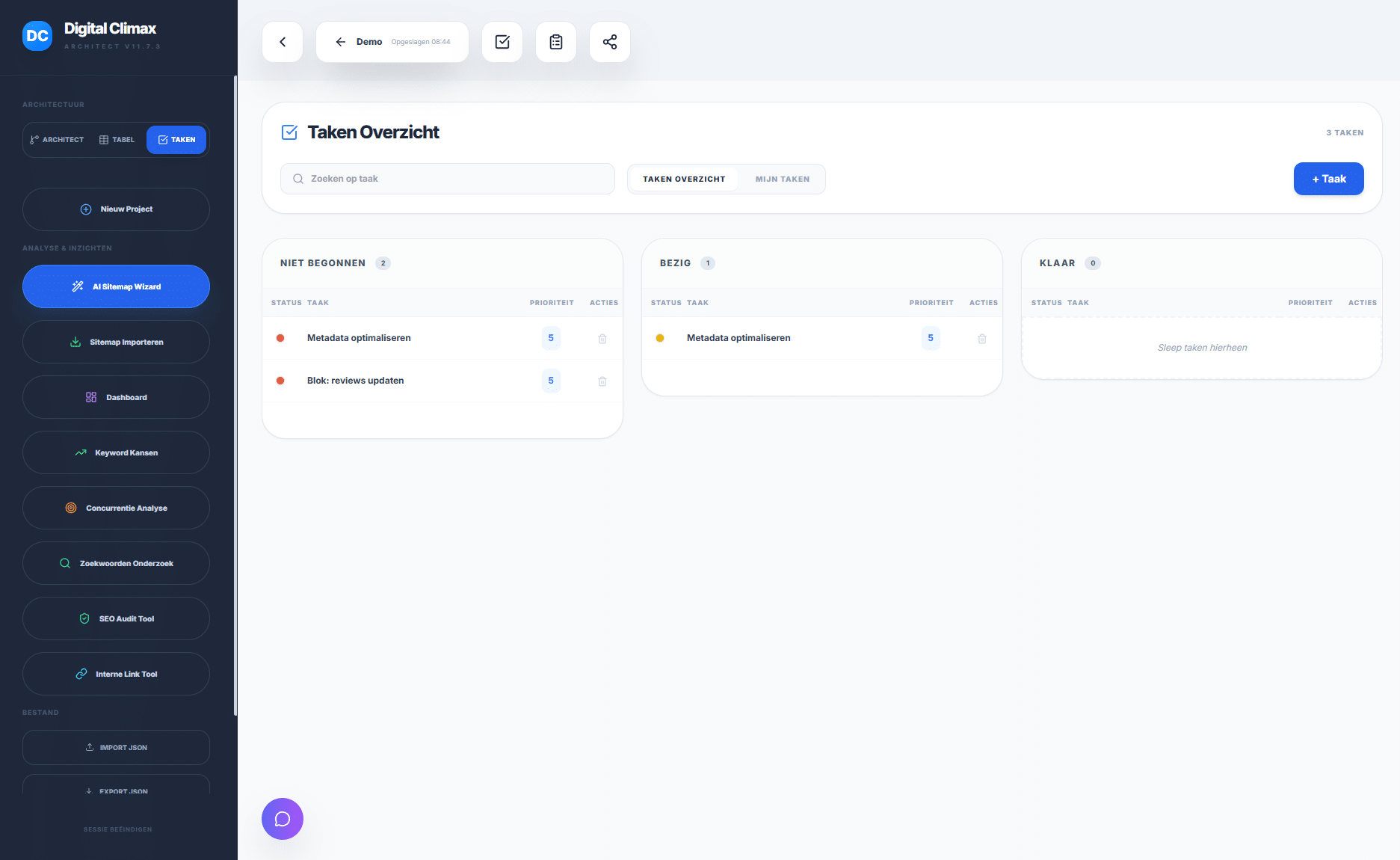
Shared tasks
The task panel quickly shows you which jobs are still open, which pages you can still create and what is ready. Keep an overview for yourself and your colleagues.

Task detail
View your task in detail. Read input from clients, feedback from colleagues or comments from developers.

Planning internal links
Thanks to internal links, search engines like Google understand and index your content. You spread link value across your pages, improve the user experience and show the context of your design.
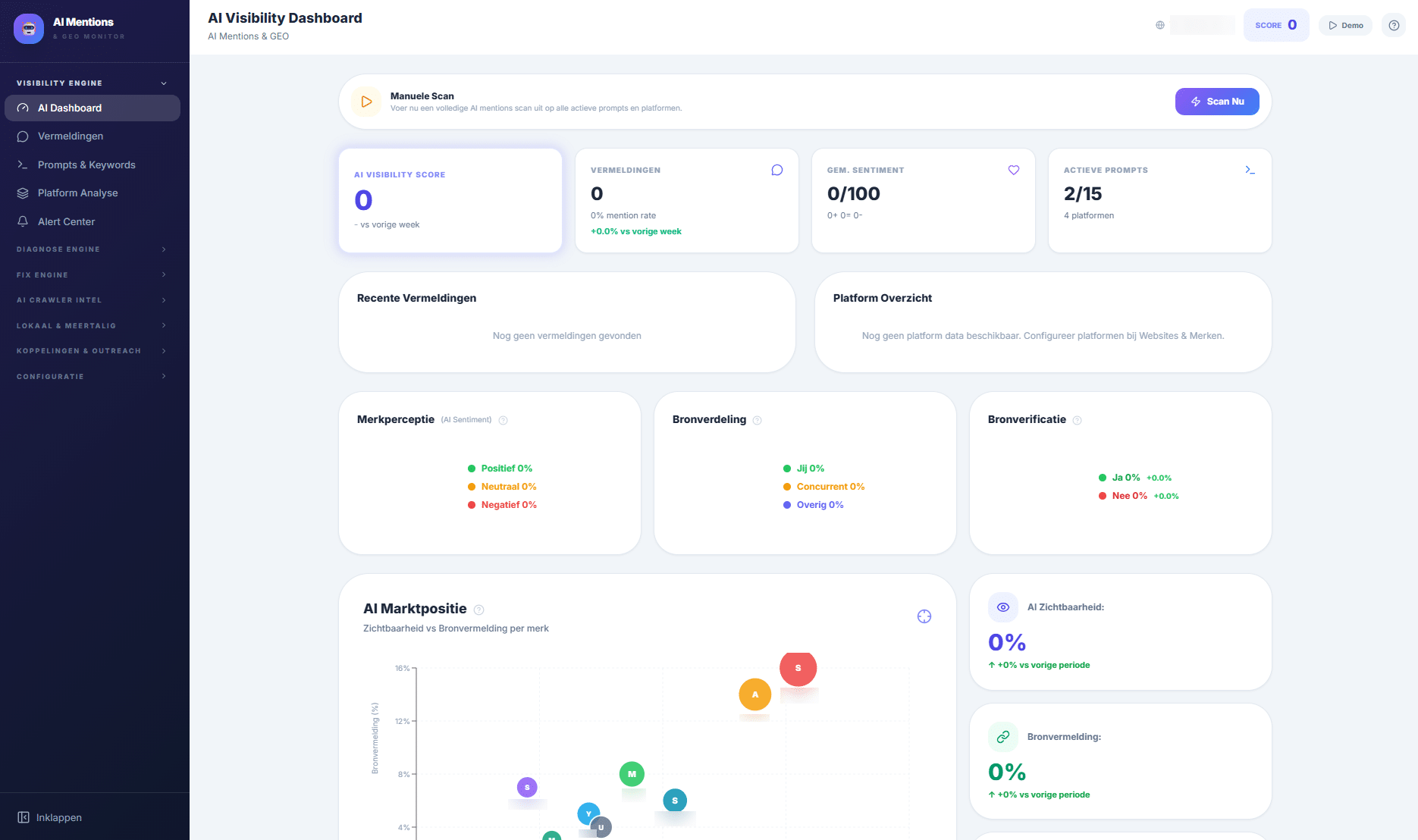
AI & GEO tracking
You see how your AI visibility evolves. A crucial part of how easily your website is found. View your AI market position and source distribution compared with competitors.
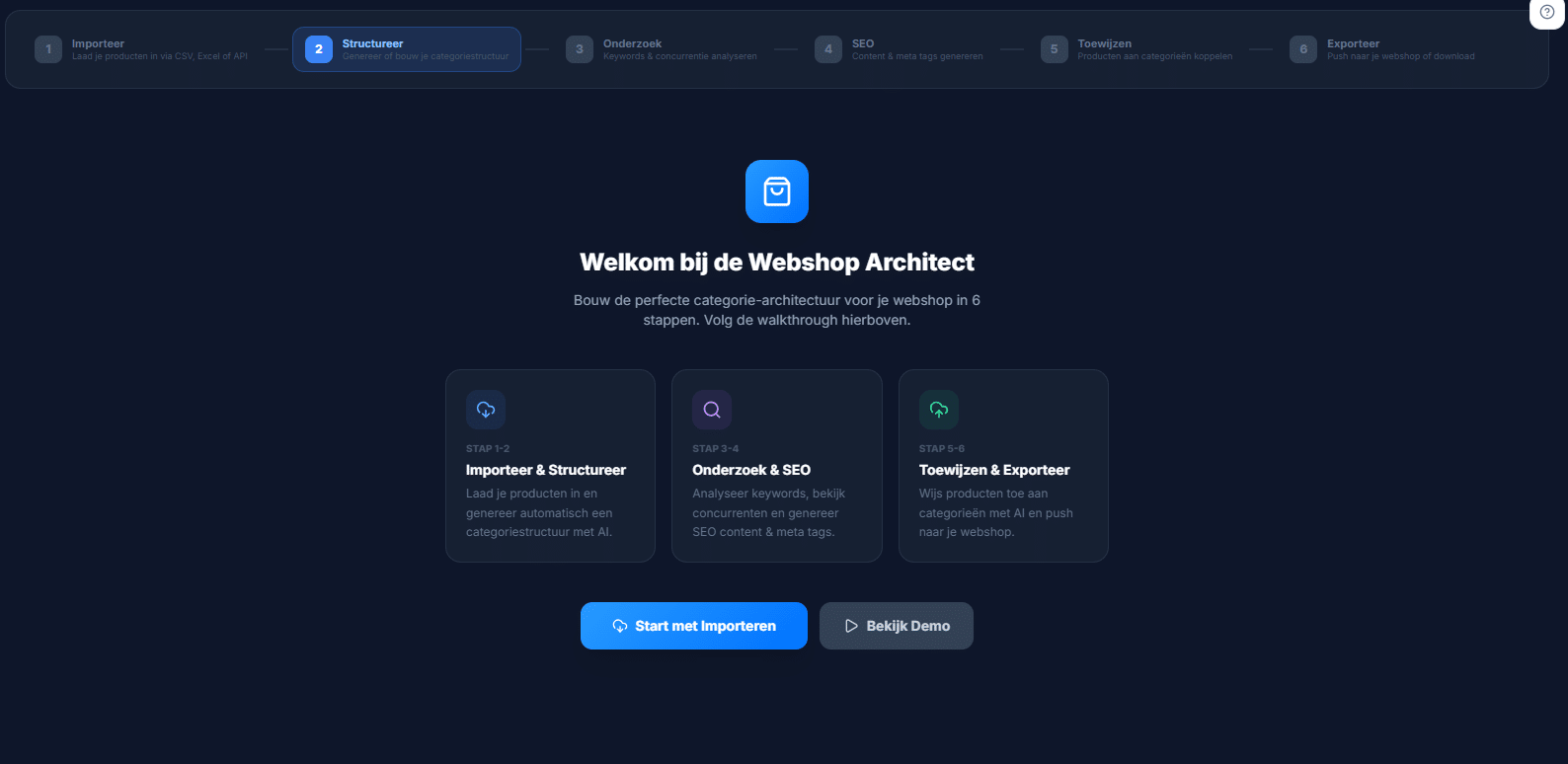
Webshop Architect
Build the perfect category architecture for your webshop. You do this in 6 steps: from building your category structure and writing content to generating meta tags and exporting to your webshop.

Log file analysis
Find out how crawlers and visitors navigate through your website. You see exactly when, how often and which pages search engines look at.
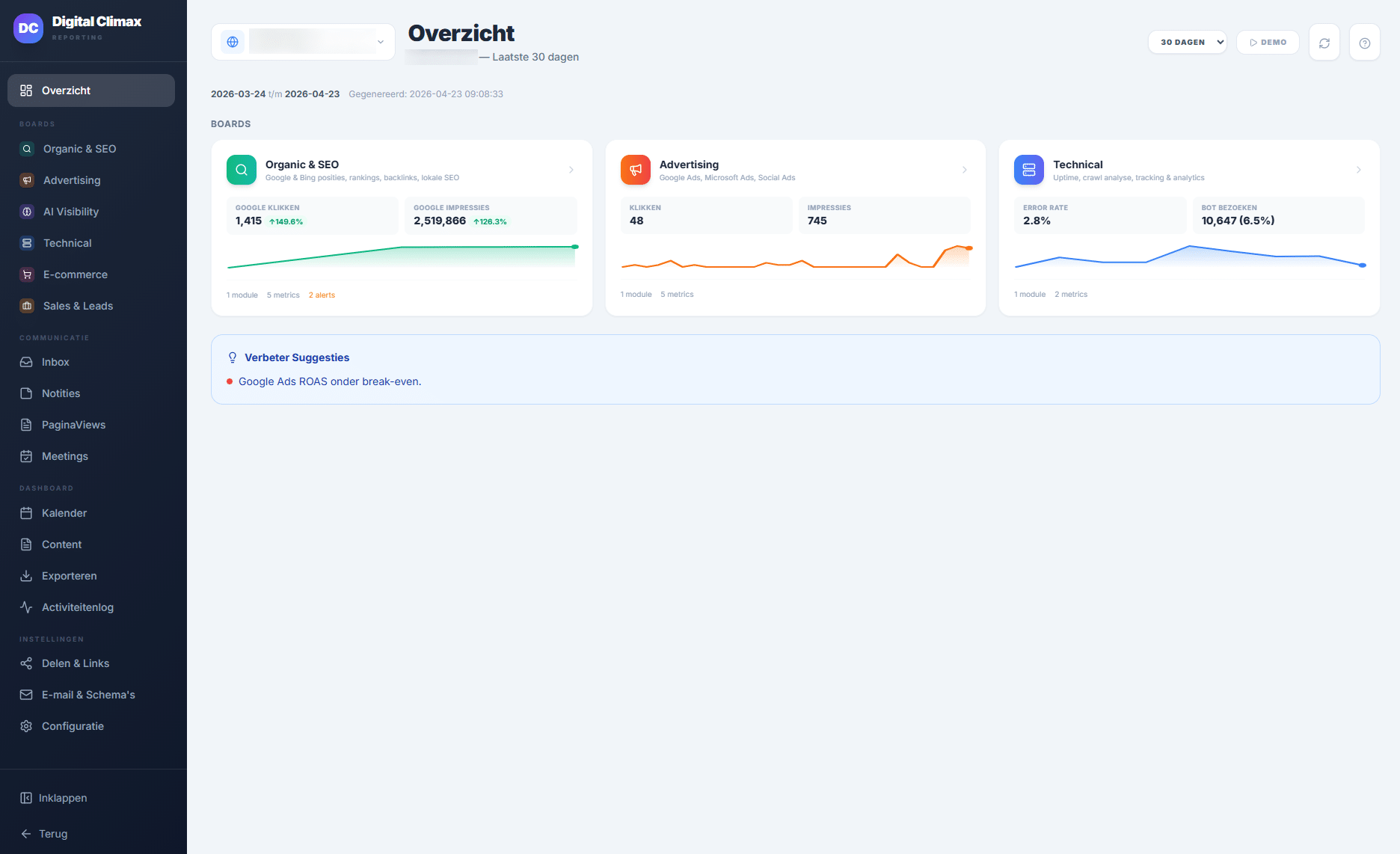
Reporting
Get a structured overview of the evolution of organic clicks, advertising and technical matters such as crawling and uptime monitoring.

AI support
AI makes your process easier. It supports you from start to finish. From the outline to building your page.
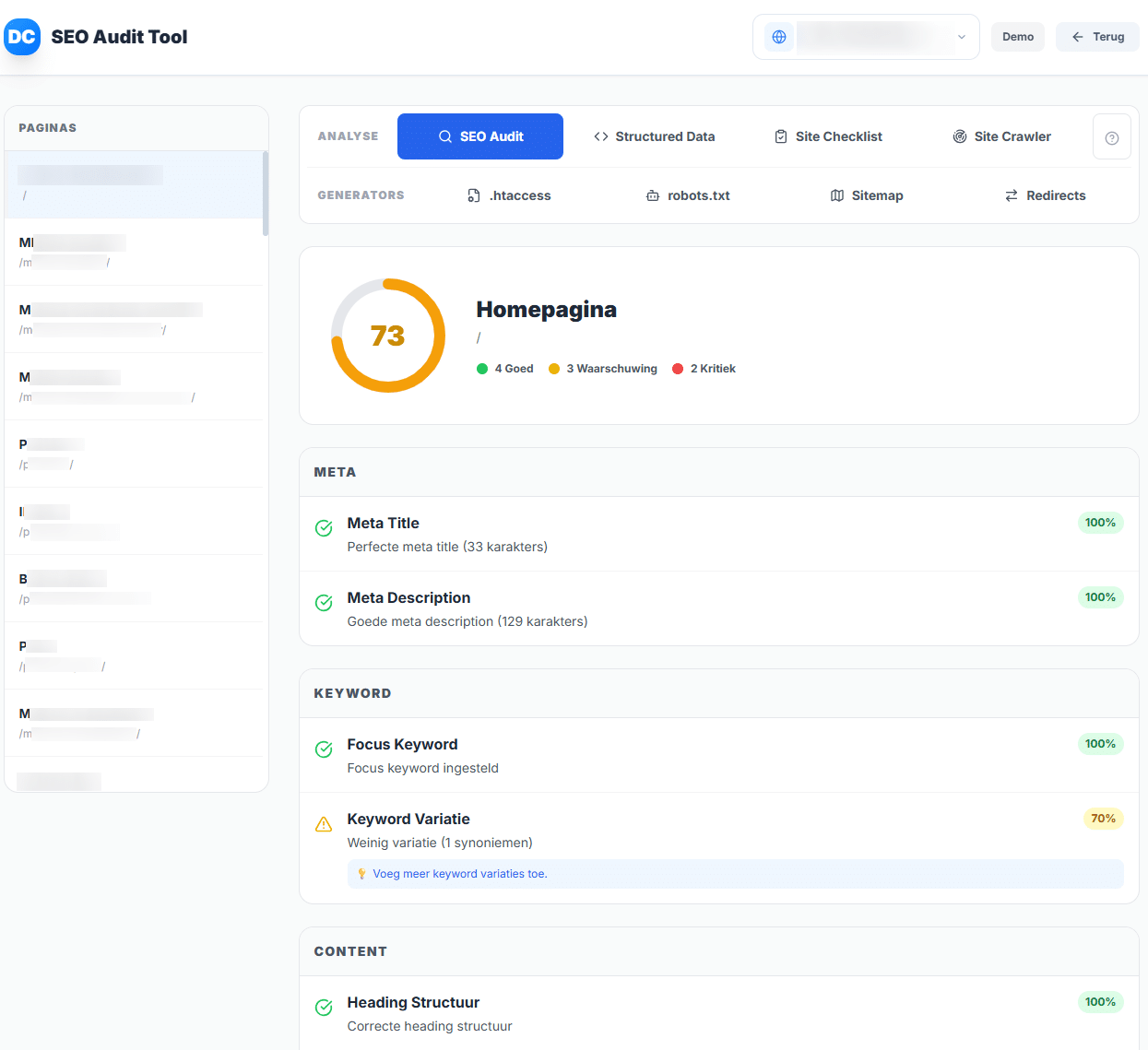
Technical Audit Tool
Make an in-depth, independent analysis of the technical state of your website. Map your bottlenecks and points for improvement. Check loading speed, indexability and the code so you can be found in Google.
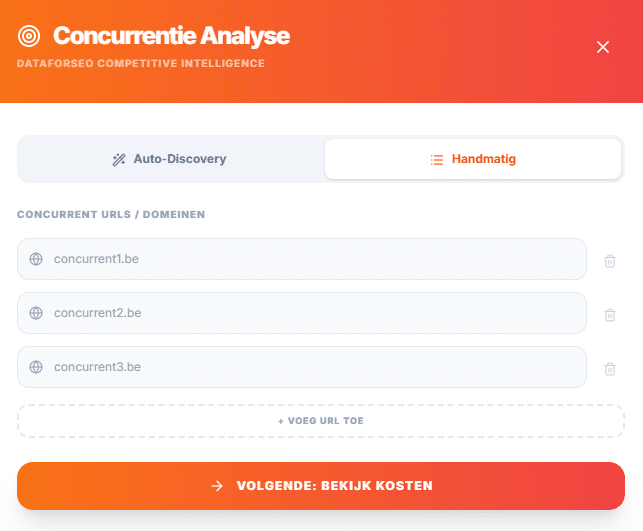
Competitor analysis
Run a competitor analysis quickly. That is how you position your website successfully. You know what customers expect from you and see your opportunities in search engines. Without research you risk lower visibility, fewer conversions and a worse user experience.
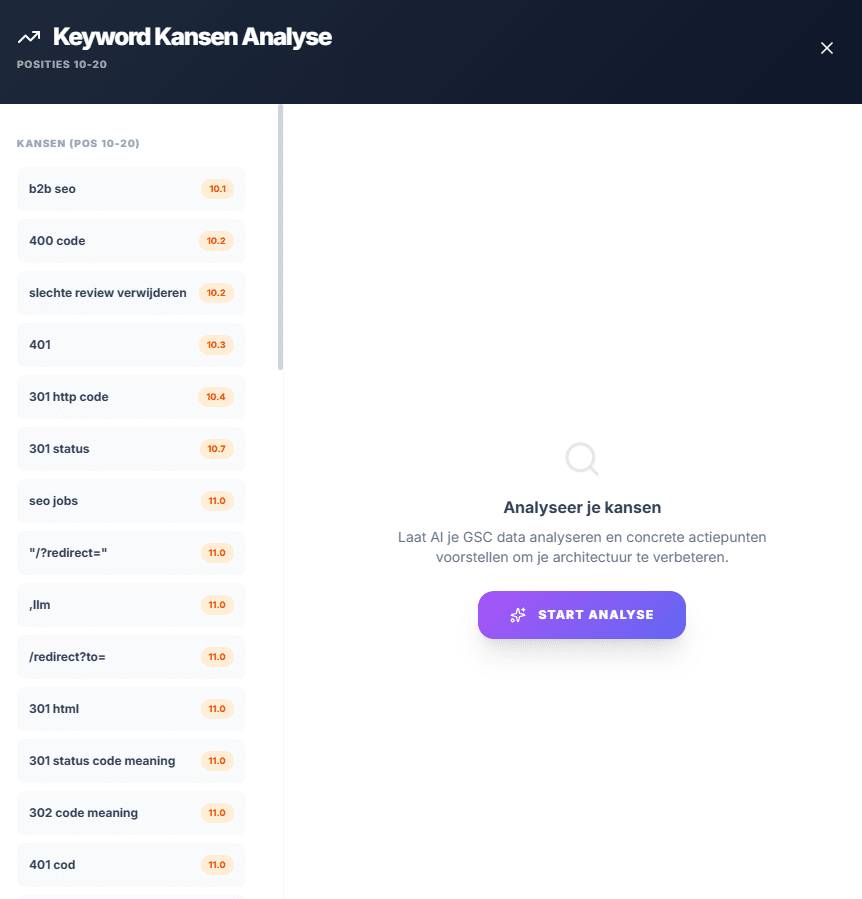
Keyword analysis GSC
With Architect, keyword research is easy. You map the terms your target audience uses. Use those words in your copy. That way you attract relevant visitors, match content to their search intent and increase your organic visibility in search engines.
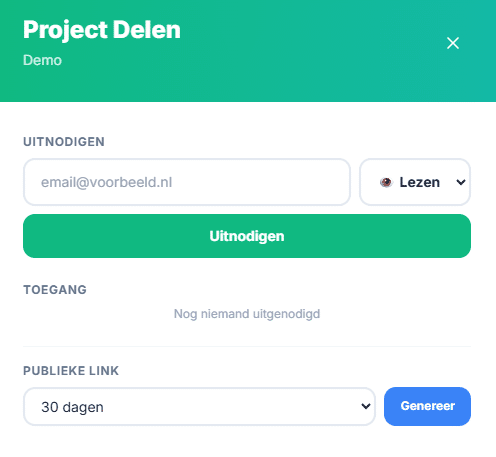
Sharing a project internally & externally
Share the pages you have written with your clients through a simple link. They proofread the content and give feedback on it.
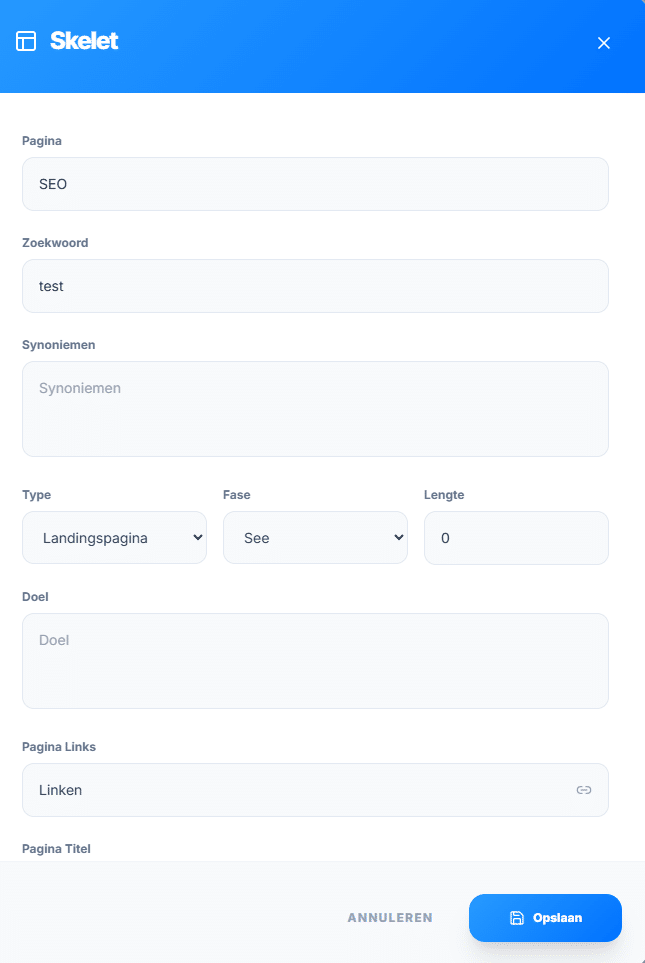
Outline tool
Before you write a page, you make your outline. That is the digital drawing of your website. It maps structure, layout and functionality with simple lines and basic shapes.
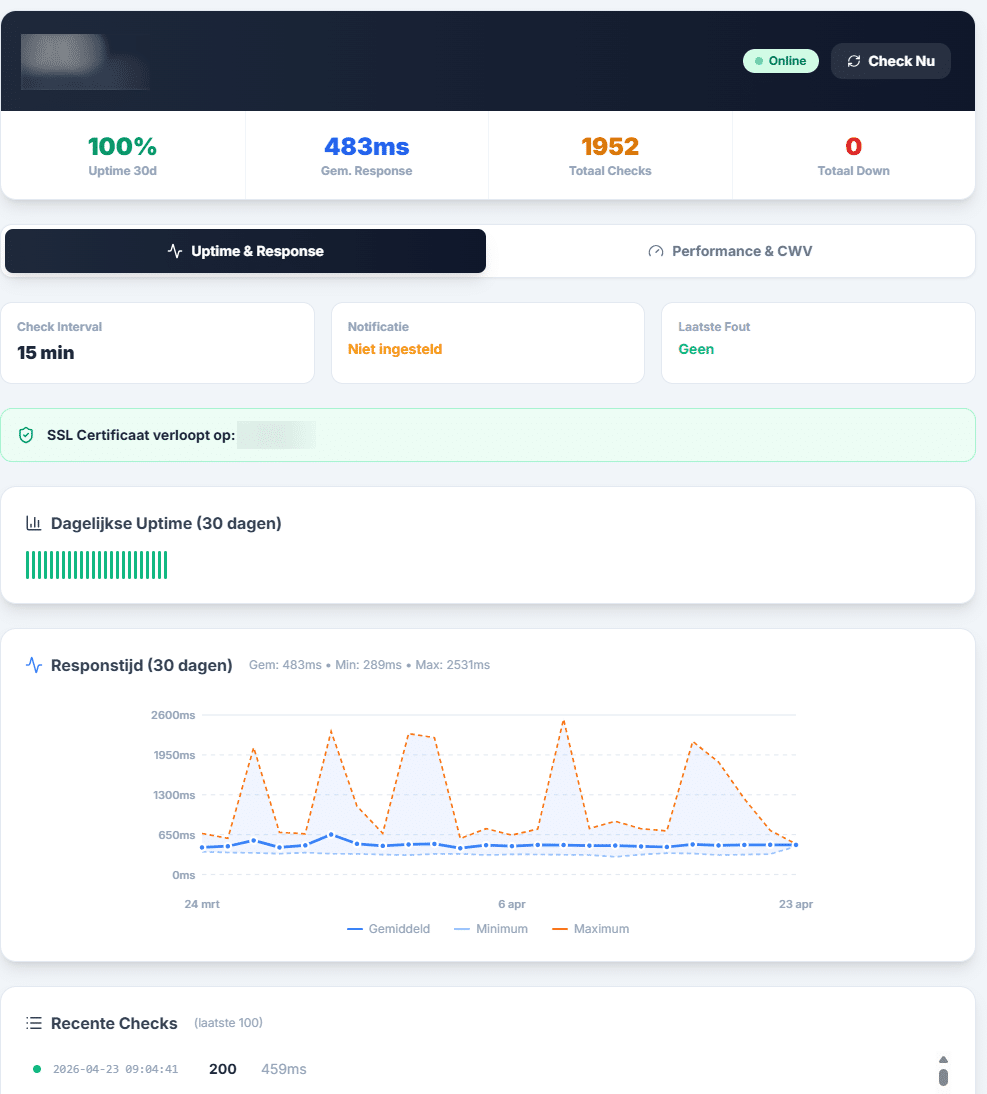
Uptime monitoring
The Architect automatically checks whether your website is reachable. It measures the response time and checks whether your server shows the right content.
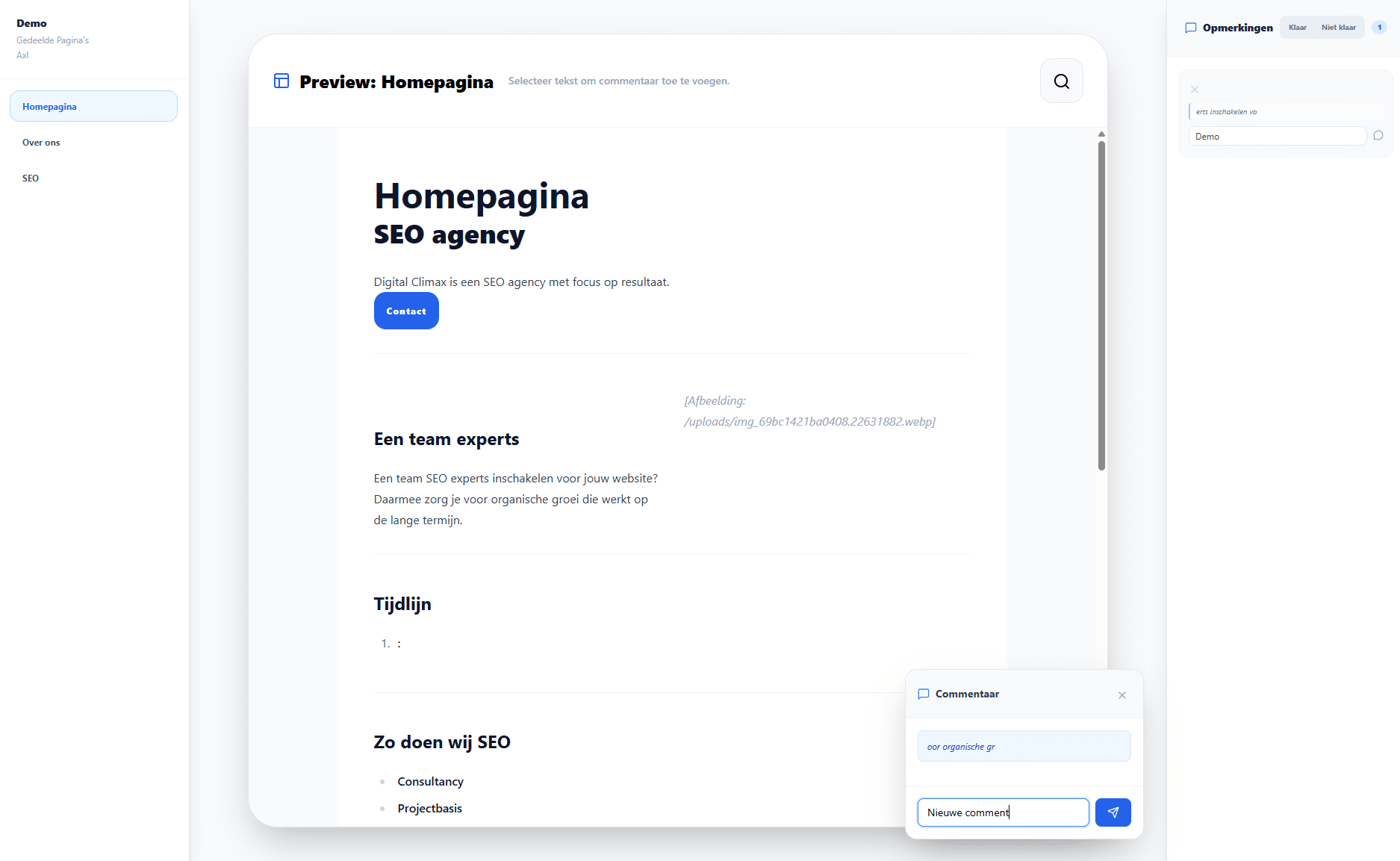
Feedback module
You see any comments or additions in one central place, without losing your original content.

Briefings & collaboration
Everyone works together in the same system. Marketers, copywriters, developers, clients. That way you all speak the same language and collaboration happens without noise.
- AI support in every step
- Divi, Elementor & HTML export
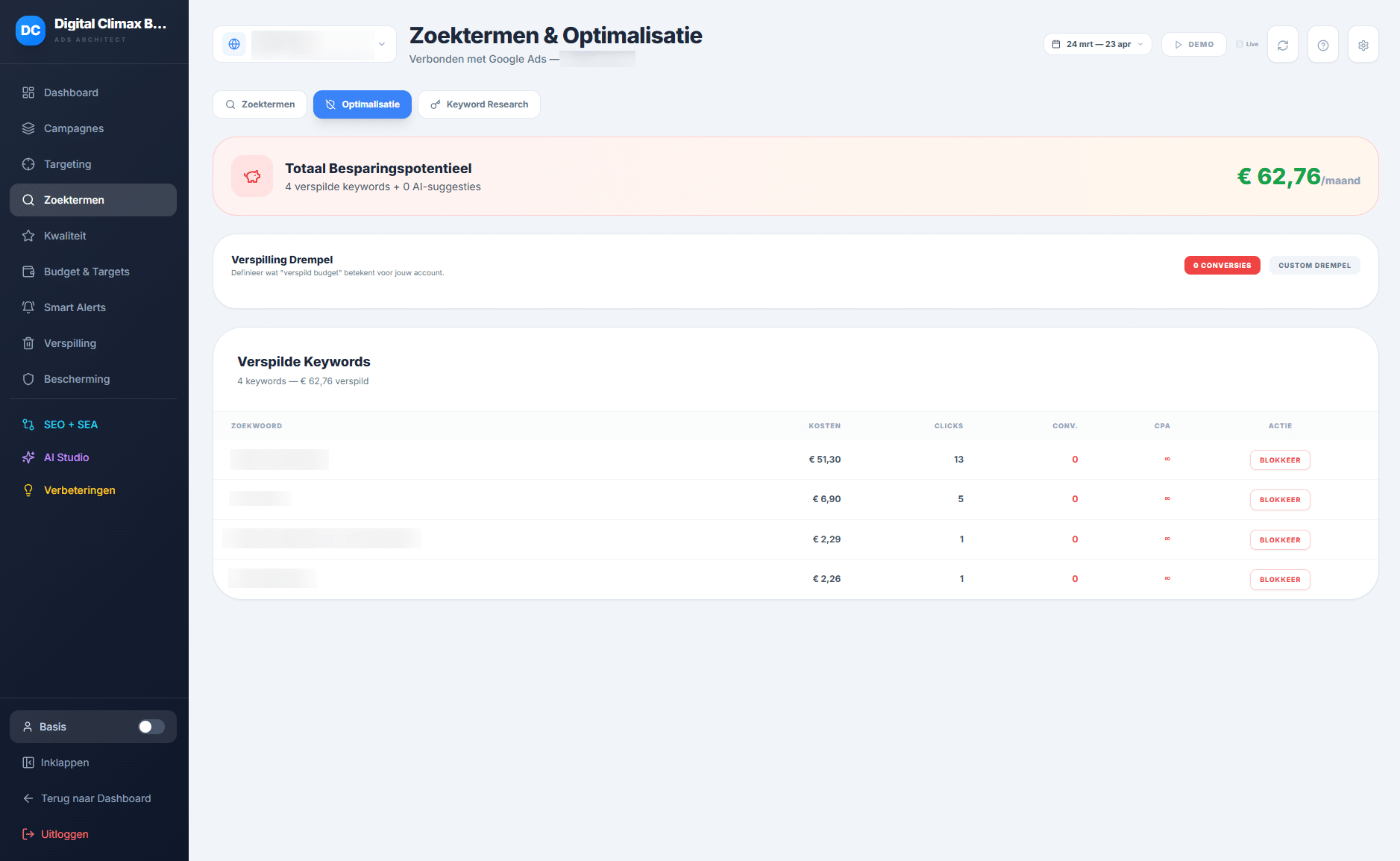
Data analysis built in
Find all your data in one place: Google Search Console, Google Ads, Google Analytics, website forms, webshop revenue… Everything is linked to your website structure. In-depth data analyses are ready at the push of a button.
Our SEO experts built the Digital Climax Architect with all the features needed to build or analyse a website strategically and structurally.
- Sitemap generator
- Tool for creating wireframes
- keyword mapping tool
Do you work at an agency? Then use our Architect to collaborate professionally with your clients. With this tool you offer them a transparent and well-founded overview of their online platforms.
Build your website sitemap easily in Architect
Among other things, the Digital Climax Architect works as a sitemap generator.
A sitemap is an overview of all pages on a website and how they relate to each other. It shows which pages are main pages or subpages and how users and search engines ideally move through the site. SEO uses a sitemap to cluster keywords logically, decide on internal links and make sure every important page is easy for Google to find.
A clear sitemap is the basis for menus, categories and URL structure, and prevents pages from being left isolated (orphan pages) without internal links.
In the Digital Climax Architect you rearrange and add pages easily. With drag and drop it all happens intuitively and clearly, even for large or complex websites.
Use AI for your website sitemap
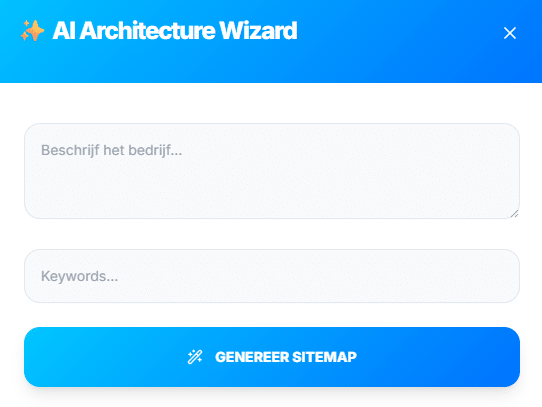
A push in the right direction always helps. Certainly if you have never built a sitemap before. With the AI Sitemap Wizard you generate a first proposal for your website structure based on company information and keywords.
Shape your pages with the wireframe tool in Architect
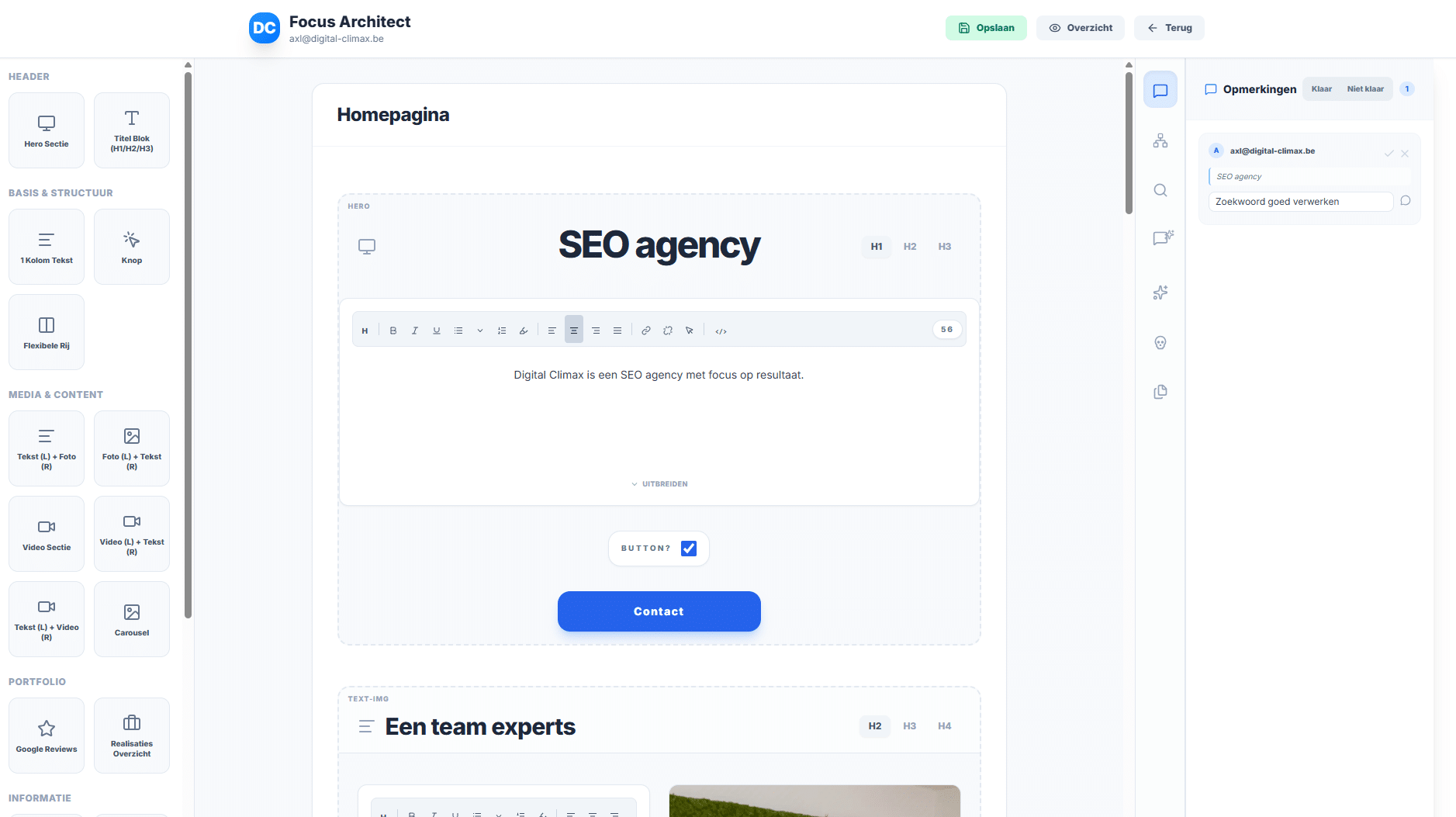
A wireframe is a schematic representation of the content and layout of a single web page. It shows where titles, copy, images, buttons and other elements go, before the design has even started. AI support at every level, without losing control
With the wireframe tool in the Digital Climax Architect you define per page how you build up the content. You do this with fixed modules such as:
- hero sections
- text blocks with images
- reviews
- FAQs
- calls to action
Thanks to preview mode you not only get a good-looking page structure, but also a content briefing that web designers, marketers and copywriters can act on right away.
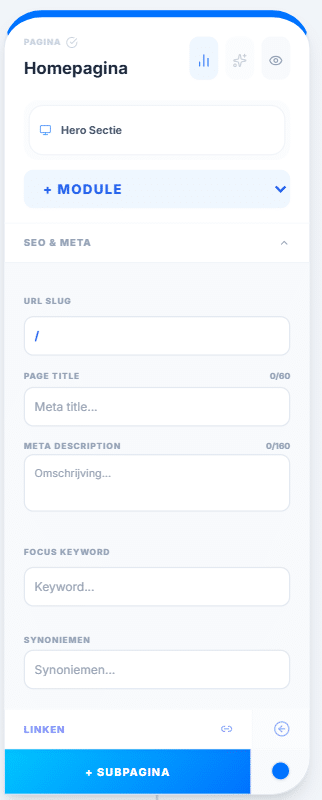
Every page also gets its technical details through several easy-to-use features:
- Link URLs directly
- Create page titles
- Add meta titles and descriptions
- Enter focus keywords and synonyms
The tool automatically makes sure there are no duplicate keywords. That way internal competition between your pages does not stand a chance.
Finally, you export the wireframe to PDF, Excel or straight to WordPress.
Your optimal website with our visual sitemap
Make sure your visitors quickly find their way around your site. By giving your website structure, they find everything right away. As a result they get in touch sooner or buy your product straight away.
Do not rush it. Take a step back and think about what your site has to say and do. Already have one? No problem. Take a look at how it is built. Organise your pages more clearly. Make everything more user-friendly for your customers.
You can also start a website from scratch. Keep an overview from the start so pages do not multiply unchecked. Make sure all pages fit together logically. That way you work efficiently and clearly, even with larger websites.

Writing SEO copy with the automatic copywriter
Is writing strong SEO content not your thing? Our built-in AI support gets you started. Based on your input about your company, services, Unique Selling Points (USPs) and tone of voice, you get inspiration for content.

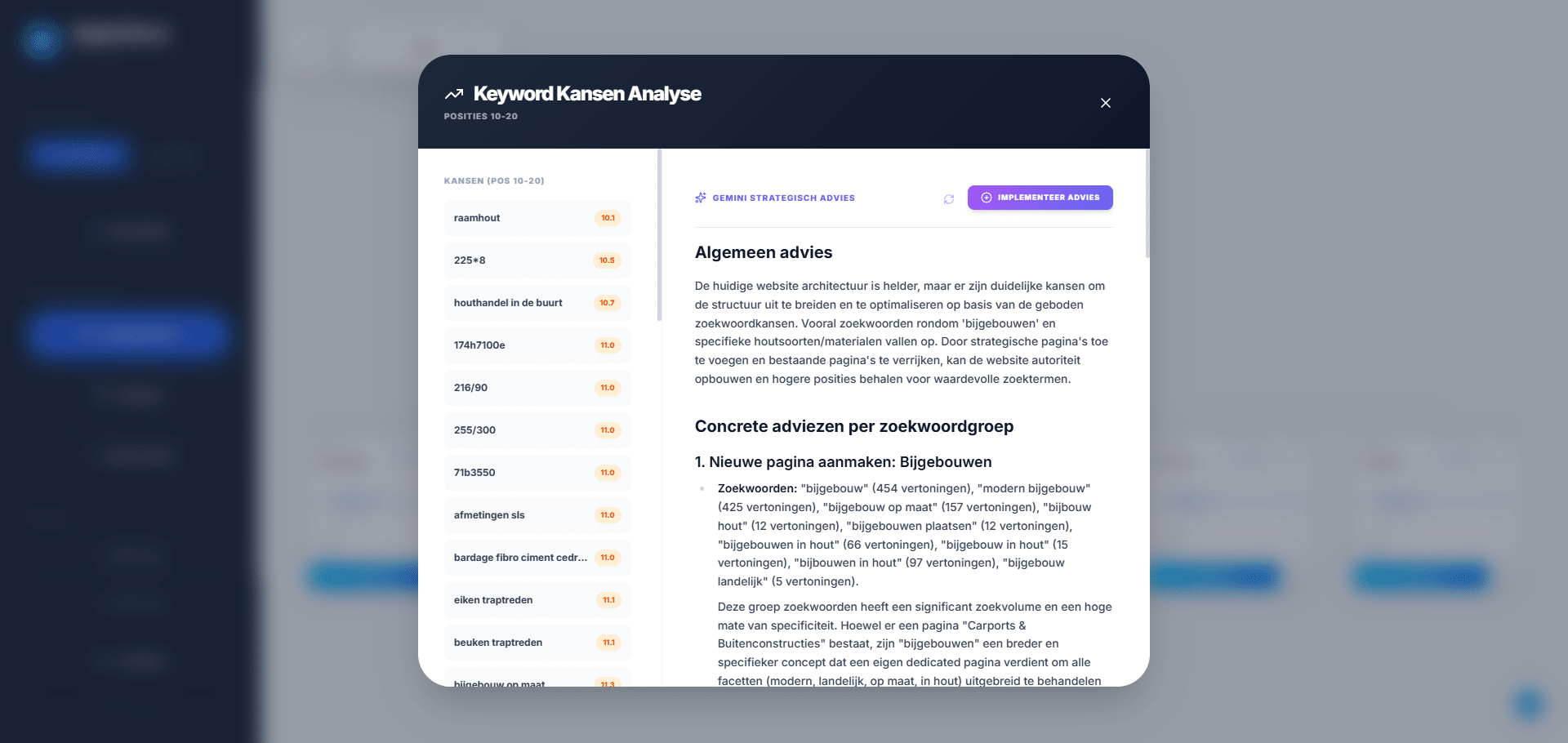
Keyword mapping with Google Search Console integration
The Digital Climax Architect integrates directly with Google Search Console for performance data such as impressions, clicks, CTR and keyword positions. Through AI integrations you analyse that data and translate the insights straight into improvements to your sitemap or wireframes.
After an in-depth analysis you also see right away which pages are indexed, how they perform and where the opportunities or problems are. Duplicate content, declining performance and unstable rankings show up immediately. That makes targeted optimisation possible.
Digital Climax Architect: the tool for clear website management
There are plenty of tools for creating wireframes and sitemaps, but each of them lacks at least one important feature, such as an overview or a complete platform with a central dashboard. The Digital Climax Architect combines sitemapping and wireframing with up-to-date SEO data and AI analysis.
So you not only follow how your website is built, but also how pages actually rank and evolve. Most tools only offer insight into preparing, building or analysing your website. The Architect bundles all these features in one place: handy, clear and designed for every type of user.
With the tool you keep the overview of your entire website, from the first letter to reporting in plain language and optimising based on real-time data.

Collaborating with the Architect as the central point?
Want to collaborate in a smooth and structured way? Communicate clearly and thoughtfully, both internally and externally? Rely on the Architect to streamline your (new and existing) processes:
- Without noise
- Based on up-to-date data
- With AI support where needed
That way you are ready for the future. Count on a flexible platform, adapted to your needs. Focus on what really matters, with attention to your SEO strategy too.