
Webshop planning tool
Avoid chaos with a structured blueprint
Planning to build an online store? Then plan and structure your webshop before you build it. You keep a clear view of your site hierarchy, visitors don't get lost between pages and you are easier to find in Google.
- Find out what your customers search for
- Map out your structure
- Assign keywords to pages
- Write and review copy
- Measure and improve pages after launch
The Digital Climax Architect is the blueprint for your webshop. Our tool keeps you in control of your online store.
Want to try the webshop planning tool?

Work out your webshop structure with the Architect tool
A successful webshop starts with a clear plan. Start building without a strategy and you get stuck in a tangle of product categories. Frustrations pile up, the shopping experience is confusing and your store stays hard to find.
The Architect tool prevents that. You create one project per website. Build a sitemap by drawing out your site structure. You keep track of the status of every page. That way you never lose sight of the goal: a thriving online store.
Using the Architect for your webshop: how it works
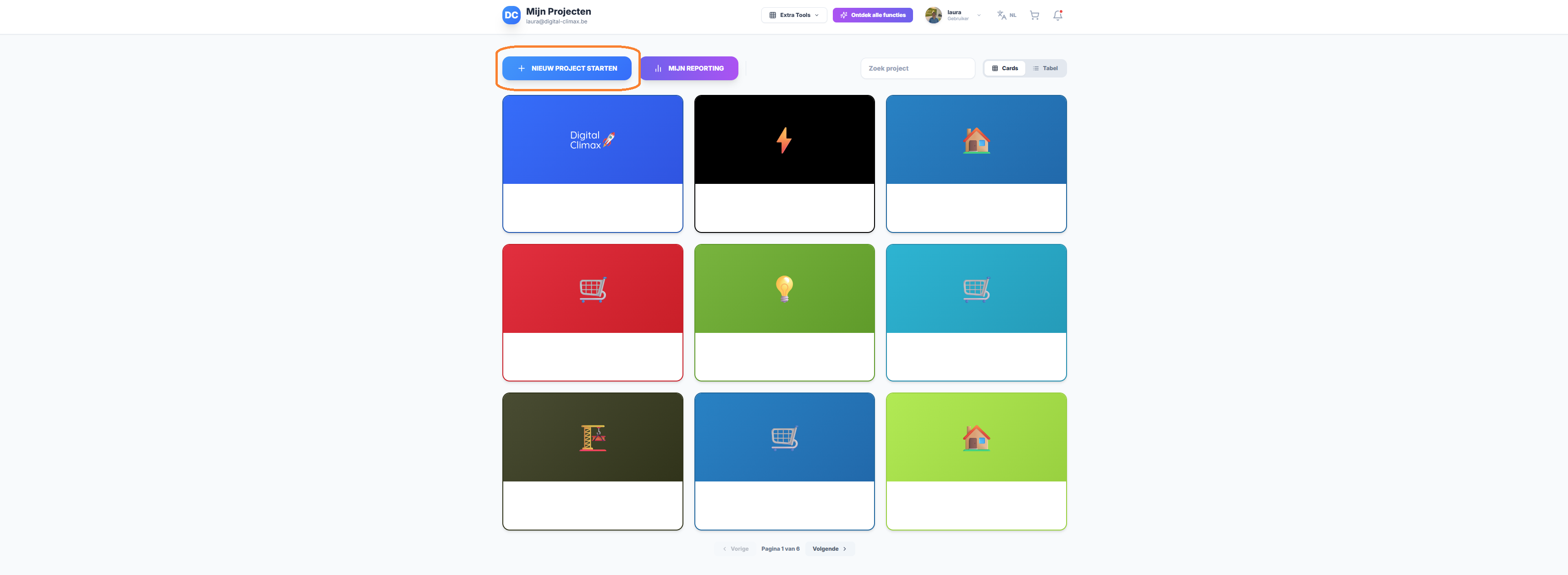
Start a new project
Open the Architect home page and click 'Start new project'. Fill in the details and open the draft. This is where you put everything for your webshop. Already have one? Add all existing pages in their current hierarchy.
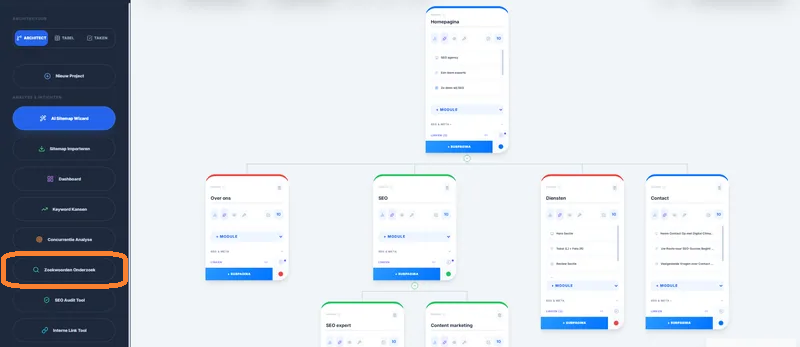
Find out what customers search for (keyword research)
Before you draw a webshop structure or write content, you do keyword research. You check which words, brands and uses have search volume, so your pages match how your audience searches.
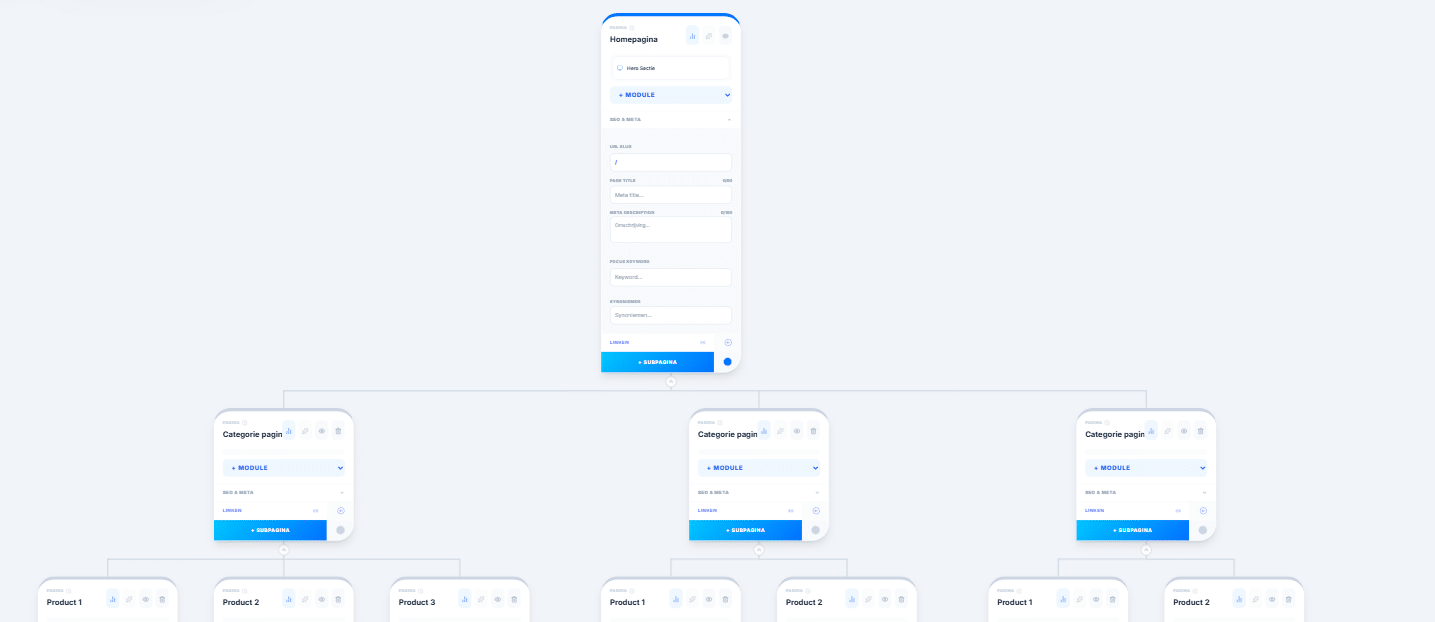
Map out your webshop structure
Now you start on the full blueprint of your online store. With an existing site, you change the structure here first, before you make the changes for real. Or you build on what's there.
For a new site you start with main and subcategories. Add fixed pages such as shipping, about us, returns and contact. Each page has a colour, so you always see its status.
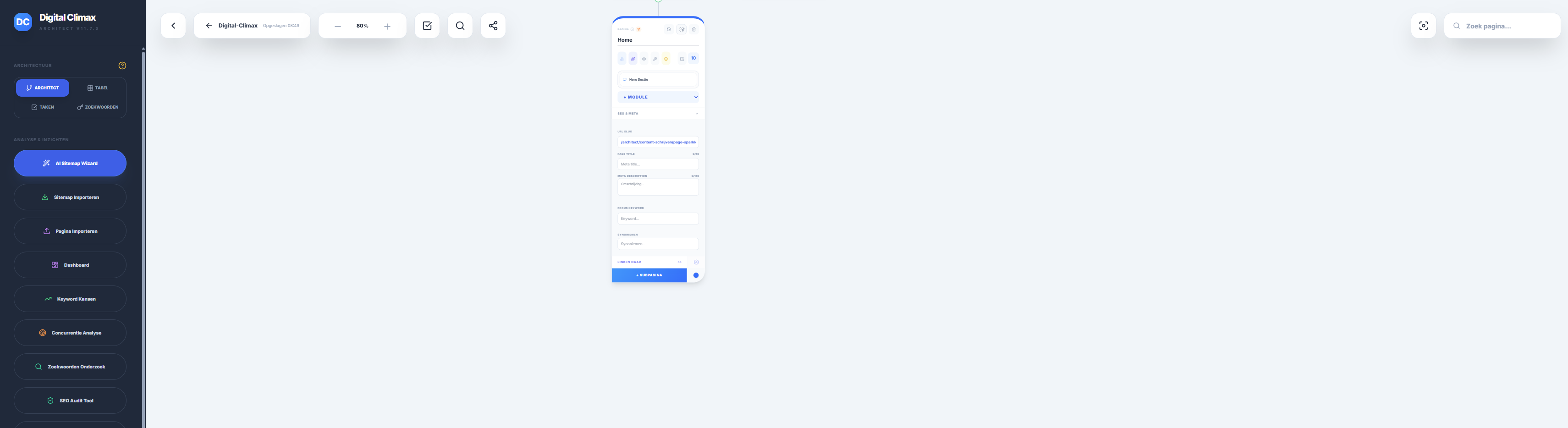
Assign every keyword to one page
Give every category and every page its own main keyword, slug, SEO title and meta description. Keep track of this per page and stick to the keywords, so your pages don't compete with each other in Google.
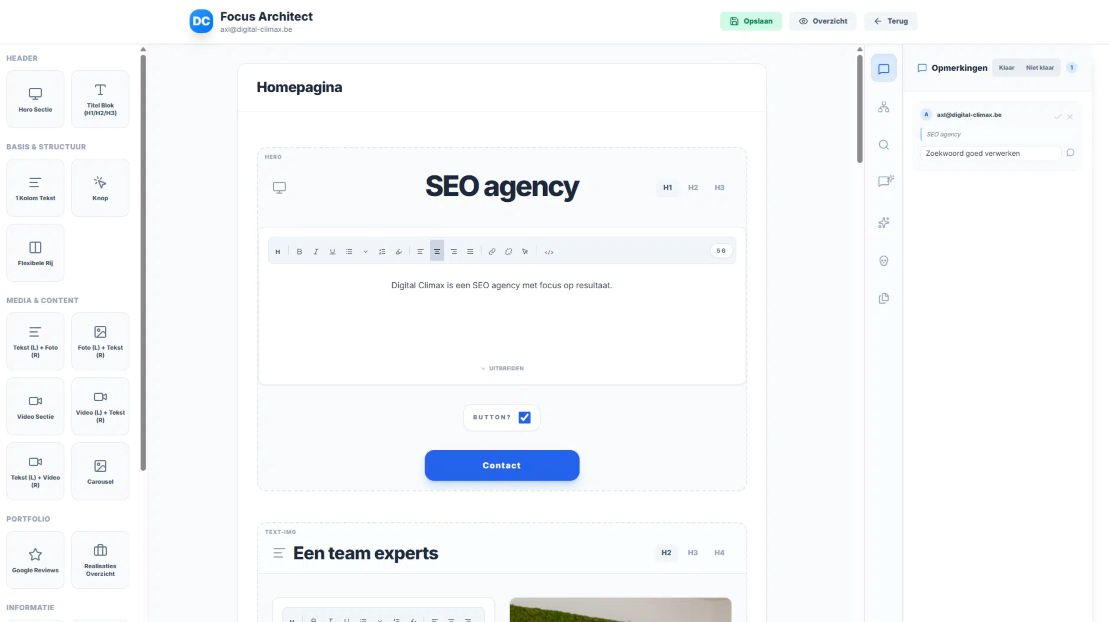
Design pages with modules
Set out the layout of each page with ready-made modules. Start with a hero text at the top. Alternate images, text and videos. Add buttons, case studies and reviews. Include FAQs and a clear call to action.
Write your copy around your keyword. Get help from the content generator and check for spelling mistakes in the AI chat.
Once your copy is ready, you can have a colleague or your client review it. They leave feedback in the same project with the comments module in the right-hand panel. No more Word or Excel files going back and forth by email.
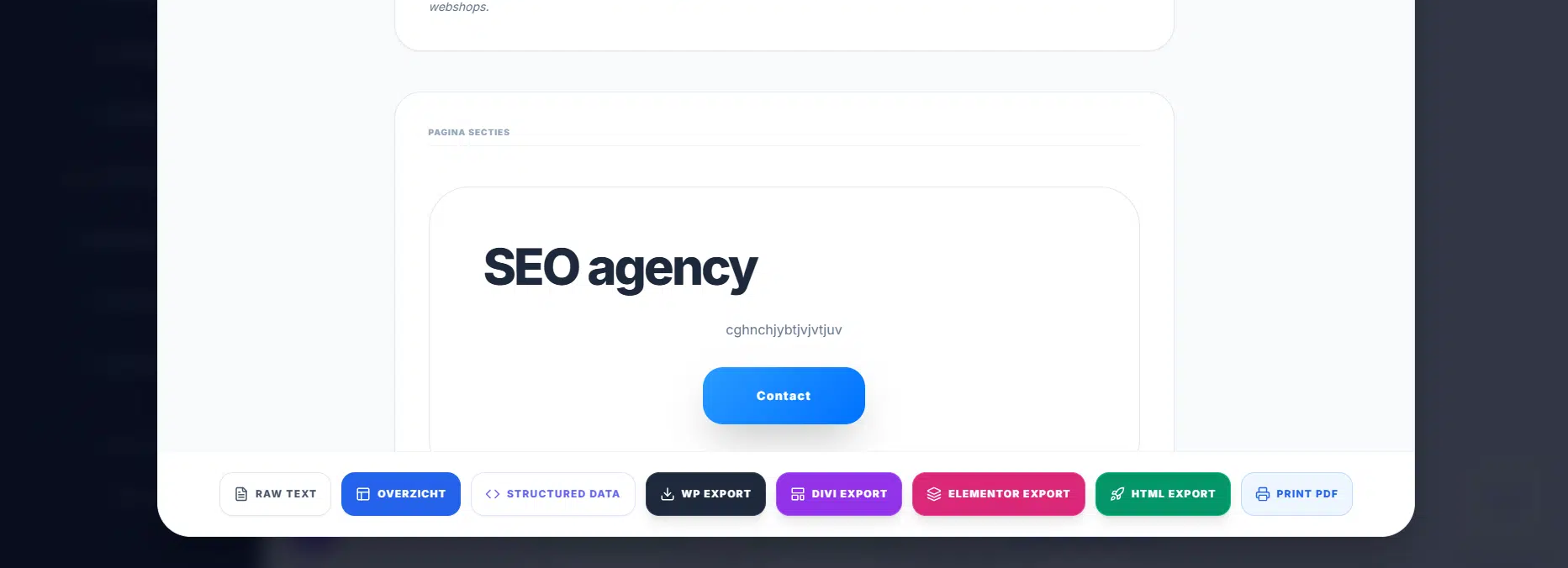
Export your pages
Page finished? Let the developer know. With our simple export they put the content and layout into WordPress in no time. They update the page status in the Architect, so the whole team knows the page is live.
Request your demo
You have an idea for a webshop and start building right away. Along the way you lose track in a mess of illogical categories, pages competing with each other and copy that doesn't match how your customers search.
Sound familiar? Then the Architect tool is for you. You plan all existing and new pages in a visual site hierarchy. Assign one main keyword per page. That way you have the blueprint of your online store before you start building.
Request your free demo today. Find out how Digital Climax, as an SEO expert, supports you while you map out your e-commerce site. Curious how your website scores today? Ask for a free SEO scan and get insight into the SEO health of your current website.
Your e-commerce blueprint: the benefits
Visual structure
Thanks to the keyword research you do in the Architect, your categories match how your customers search. You build a webshop hierarchy that shoppers actually understand.
No page sprawl
Every keyword goes to one page. That way categories, product pages and blog posts don't compete with each other in Google.
SEO from the start
You write every page from an SEO point of view. Use a clear heading structure, meta description, slugs and keywords you set up in advance.
One project for everyone
Your whole team works in the same project. From the copywriter who writes and the colleague who proofreads to the client who gives feedback and the developer who exports the page. No more loose files in endless email threads.
Speed
The Architect has a few handy AI features that help you throughout the process, such as the content generator and the keyword checker. Your developer works faster too: there is no need to format the content again.
Platform-independent
The Architect works independently of webshop platforms. You keep the structure and hierarchy you mapped out and wrote in the tool, whether you build your store in WooCommerce or another platform.
SEO expert case: Addmodum
Addmodum takes the admin off the hands of small businesses. A company with big ambitions and a long-term vision. To grow over the long run, we had a website built on the basis of an SEO plan (yes, not the other way round. That usually works a lot better).
Today they rank at the top of Google, and yes, even Bing, for their most important keywords, such as “administratie”, “administratiekantoor”, “administratieve hulp” and “administratieve ondersteuning”. The list is longer, of course, and we keep building a quality website that gets results.
I can't imagine a more loyal partner for our SEO. It was new to me, and after a few months you see the new customer requests coming in. To me, SEO is a salesperson who never asks for a raise, a holiday or time off. The most loyal online sales rep. Thank you, Digital Climax!

Planning a webshop with structure? Count on Digital Climax
With the Architect you plan the blueprint of your webshop clearly. Chaotic categories where you lose all structure are a thing of the past.
As an SEO agency we're happy to help with our expertise. Your whole team works in one central place. You get going quickly and efficiently, without duplicate work.
Give your new or existing website an upgrade
Discover our easy-to-use tools, tailored to your needs.
- SEO research tool: find relevant keywords and decide how best to use them on your website
- Visual sitemap builder: structure all existing and new pages clearly to prevent duplicate content and orphan pages
- Website copywriting tool: shape your pages with handy modules, ready-made sections and help from AI
- Copy-to-export tool: publish your new content without errors
- Website monitoring tool: analyse your website and find out how to improve your online results
- Make your website easier to find: help with finding and fixing technical SEO issues
- Analyse and improve SEO processes: boost productivity with clear communication, better workflows and error-free work