
SEO research tool
Do your pages match what your audience searches for? How are your average positions and impressions doing? Are you using every opportunity the SERP gives you?
With our Architect you answer these questions with data, not gut feeling. Bring your SEO data together in one tool. That gives you a solid basis to improve your website with a plan.
Want to try the Architect tool?

From keyword research to competitor analysis: everything in one platform
Choose all-in-one SEO software that supports you in every phase of your SEO research. From pulling keywords out of Google Search Console to analysing competitors: it's all in the Architect's clear dashboard.
- A list of relevant frequently asked questions and long tail keywords
- Search volumes and opportunities per keyword on one screen
- How stable your average positions are
- Insight into pages with lots of impressions but few clicks
- Every issue linked to a page in your sitemap
Curious what our tool can do for your SEO? Get in touch. Our experts will walk you through the software. Want to know quickly where your website stands today? Then we're happy to help with a full SEO audit.
One tool for the SEO analysis of your website: the benefits
Data instead of guesswork
Start with what gets you the most. You pull data straight from Google Search Console, including search volumes, impressions and clicks. You see right away how much traffic you're missing and where to adjust.
From analysis to progress in one click
Our tool analyses your site in 19 different ways: from a basic CTR analysis to AI-driven keyword clustering. Start with an analysis and learn to read your SEO performance. Take action with AI advice to fix possible issues. Finally, you track your progress in your evolution board.
Real-time insights and comparisons
Keep a close eye on your most important keywords and their positions. Monitor up to five competitors and compare their performance with yours. Ideal for spotting opportunities and keywords your website doesn't cover (yet).
Analyse and track your SEO in 6 steps
Good SEO research starts with the right questions. Our Architect gives you an answer in no time: clear, based on current data and in plain language. So you don't need to be an SEO expert to get started today.
Step 1: Fetch your data
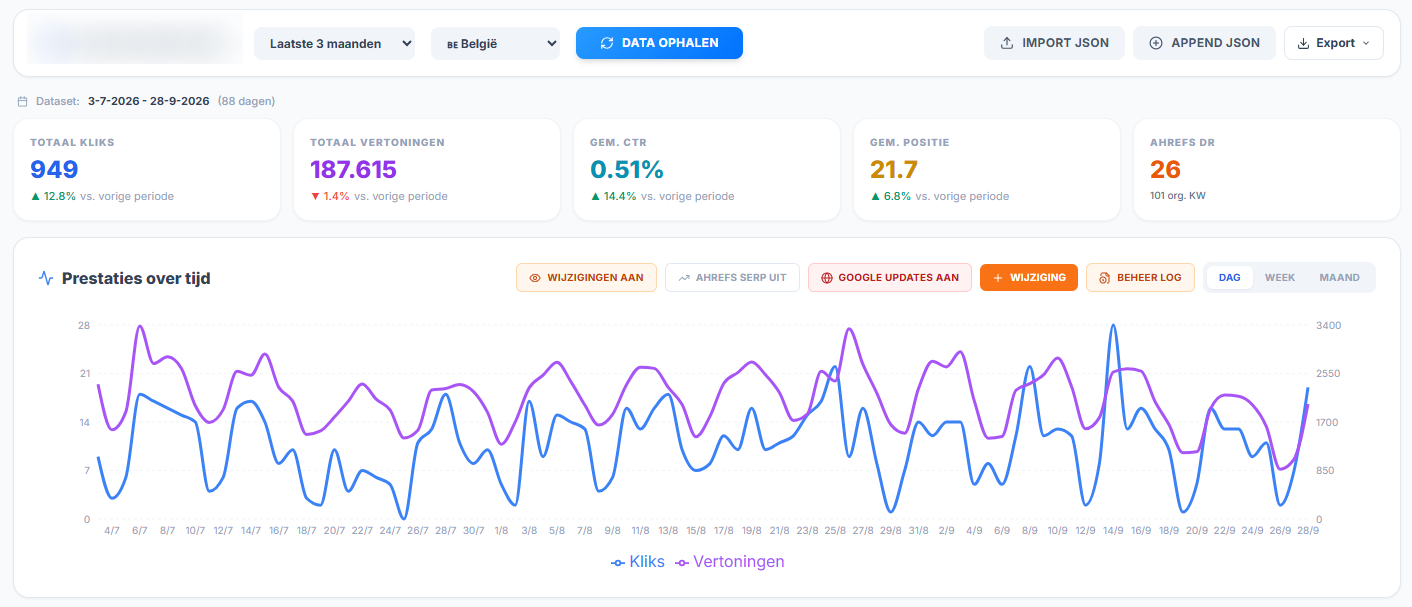
Already have a website? Then start with what you have. Connect your project to Google Search Console and import data straight from it. Choose the period you want, from 28 days to 16 months.
You see which keywords lead to which pages, how many impressions and clicks they bring and the average position of your keywords. Run a full analysis and export it to Excel or Word in one click.
No idea yet what your new website will be about or how to reach your audience? Do keyword research. That shows you where the potential is in your market or industry.
Step 2: Quick wins
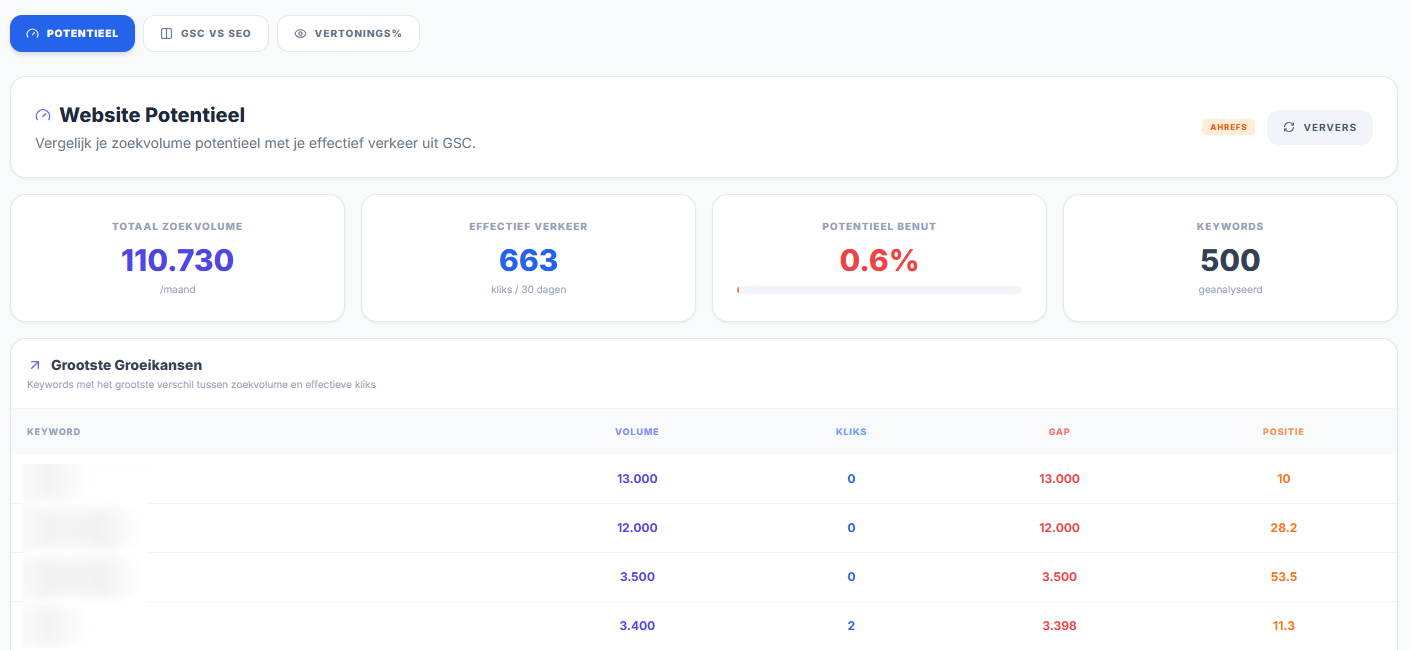
Not every optimisation takes months of work or deep SEO knowledge. The Architect lists the quickest wins for you:
- Keywords just outside the first page of Google
- Pages that get few clicks despite a high position
- Keywords with lots of impressions but no page that really ranks
Need inspiration to rewrite your metadata? Let the AI feature suggest changes to raise your CTR. You decide what to use and what to ignore.
Step 3: Fix problems
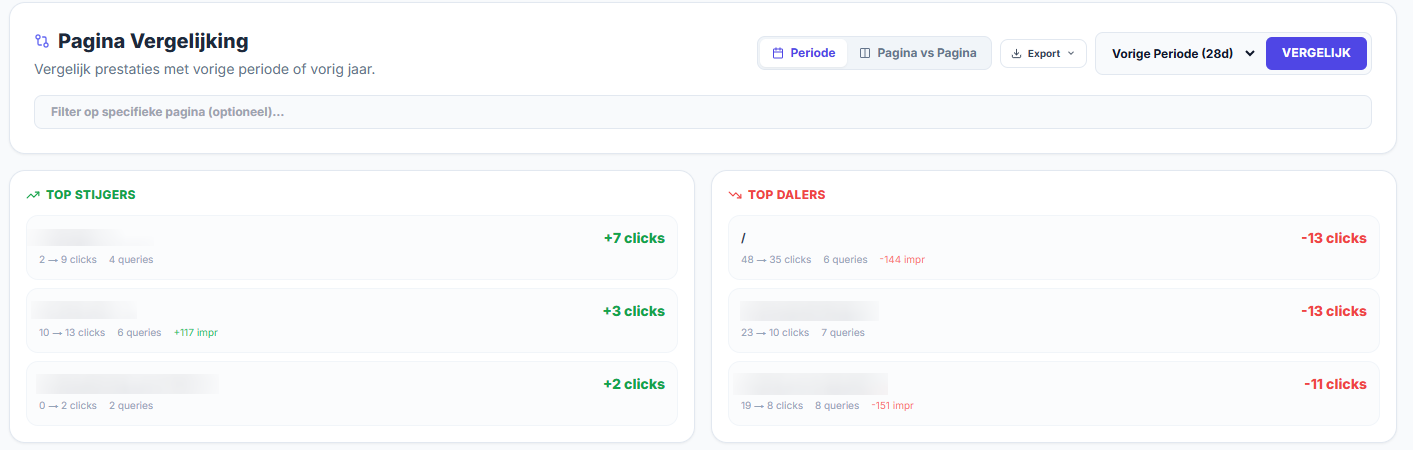
Spot growth, problems and challenges in no time. The tool gives you a full overview of pages that don't rank, need attention or are doing better:
- Cannibalisation: several URLs covering the same topic and causing duplicate content
- Dead pages: URLs that had impressions in the last 16 months, but no clicks
- Top 3: of pages that improve and pages that decline, compared per month or year
No idea where to start? AI advice helps you make the first improvements to URLs that are losing ground, such as rewriting content or merging pages.
Step 4: Find opportunities
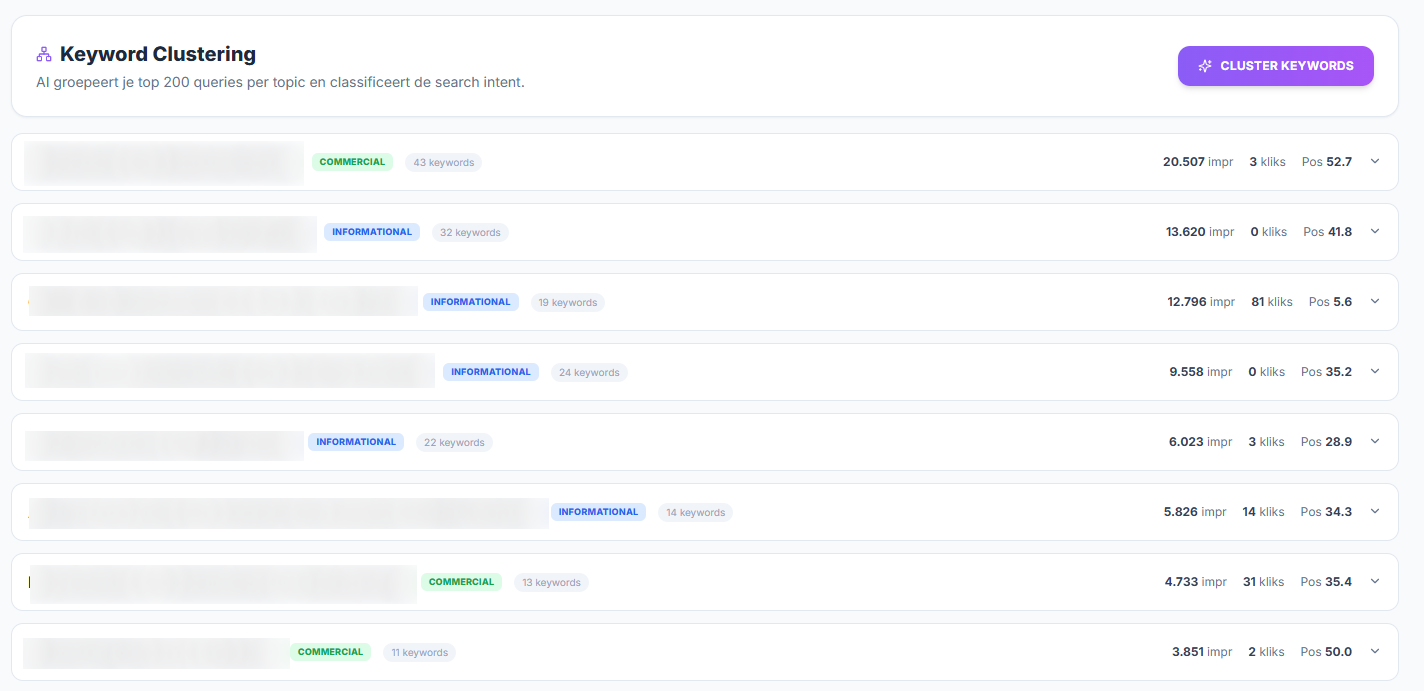
You know what doesn't work. Time to look at what does and where growth is possible. Collect the data that shows your opportunities:
- Keyword clustering: group queries by topic with AI, see which search intent your users have and respond with targeted keywords
- Keyword difficulty: a list of keywords that are easy or hard to rank for. Low-difficulty keywords where you sit just outside the top 10 (low-hanging fruit) often pay off quickly
- SERP features: see which queries you already rank for, including mentions in AI answers (which have taken the place of the featured snippet)
- Competitor analysis: add up to 5 competitors and compare their positions with yours every day. Handy for seeing which keywords overlap or are still missing on your website.
Step 5: AI support
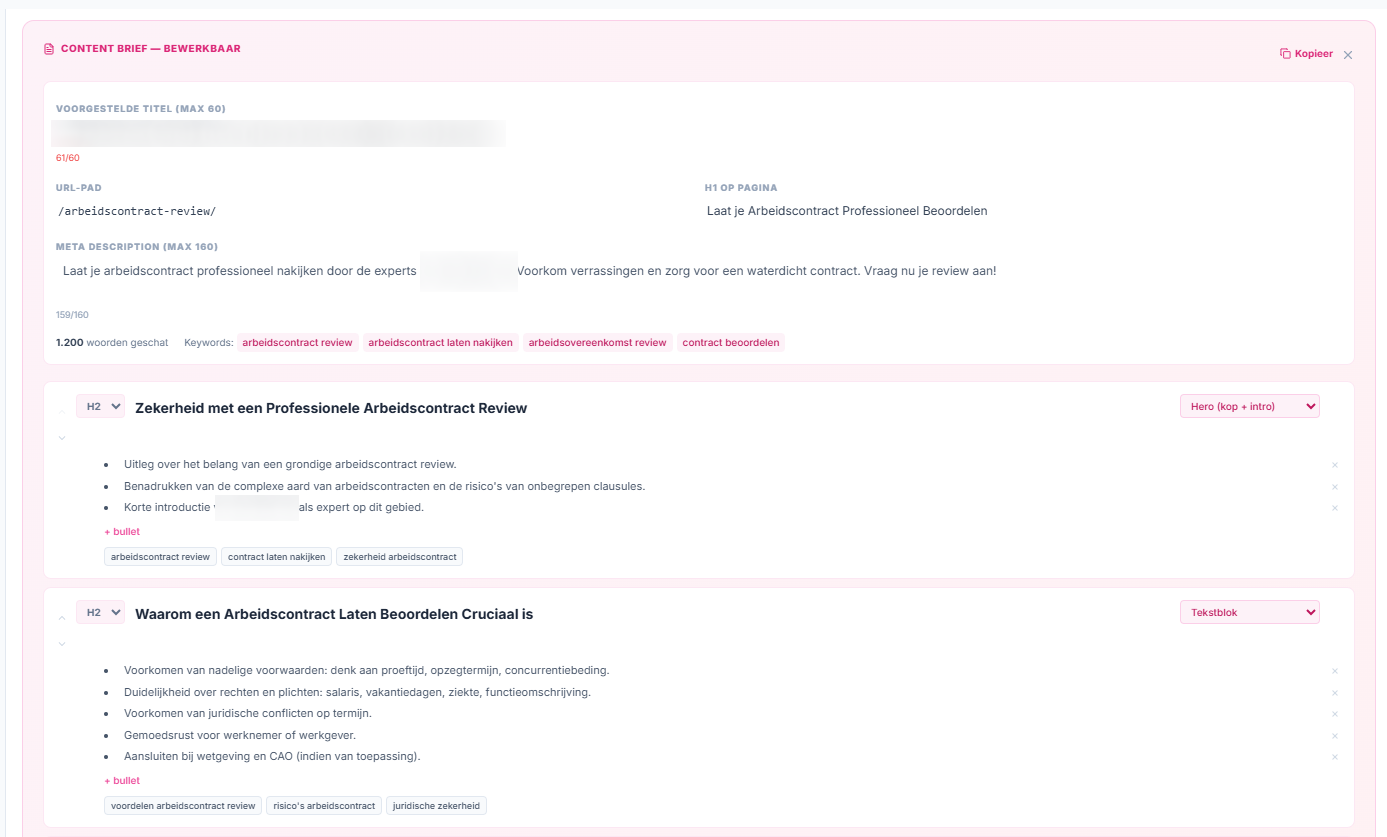
Look beyond the numbers and get to work. Let AI write a content brief for commercial queries. Generate a title, URL slug, heading structure, key points per section, a word count, relevant internal links and related synonyms in one click.
Get a first draft based on current data. You, your colleague or your copywriter knows right away what the new page should cover. Then use our website copywriting tool.
Step 6: Track progress
One analysis is useful, ongoing monitoring gives you even more insights and opportunities:
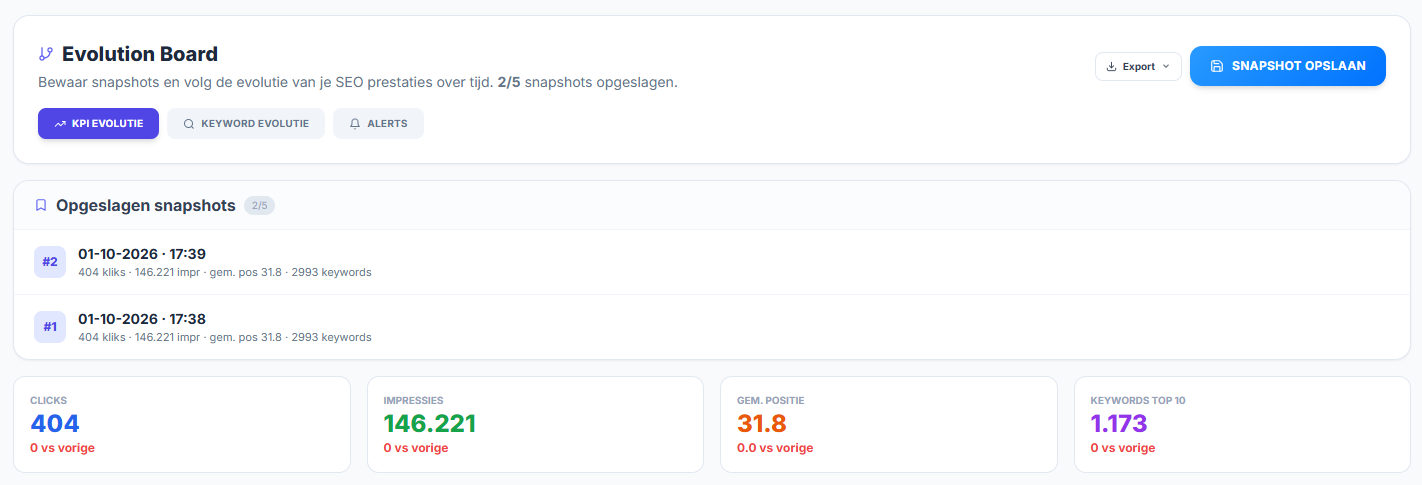
- Save snapshots every week: from 2 snapshots on, you see trends in clicks, impressions and positions
- Compare the results of pages that went up or down
- Turn on alerts for notable changes, so you can adjust quickly where needed
In the AI & strategy tab you analyse existing data for untapped opportunities. The tool suggests search terms that don't bring positive results (yet). You get a strategic report in plain language, with concrete action points.
Request your demo
Keep everything you need for solid SEO research in one place. You see right away which keywords you rank for today, and above all which ones you don't. No more loose files, no more copying data from other tools. Improving your SEO becomes a list of concrete actions, ready to work on.
With the Architect you save time, avoid mistakes and work with other parties on the same project in real time. Find out how our software improves your SEO, from data to export.
Your SEO research backed by AI
With a standard Architect plan you run analyses in no time, generate reports without deep SEO knowledge and spot challenges before they become problems. Want to dig deeper or work in more detail? Then our paid AI features, running on Gemini or DataForSEO, are the answer. You get a cost estimate up front. We only charge credits after you approve.
The features below cost extra, but they give you maximum insight in return:
- Meta tag optimisation
- Content re-optimisation
- Cannibalisation advice
- Content briefs
- Keyword clustering
- Keyword difficulty
- SERP features
- Competitor analysis
Not sure which feature you need? Our experts are happy to help.
Analyse the success of your SEO migration
Is your old website getting a makeover? Then it's crucial to take along all the SEO value you built up over the years. Keep your strong positions and lose as little traffic as possible.
An SEO migration can have several parts, from a domain migration to a content migration. It almost always goes further than redirecting URLs. But it's well worth the effort.
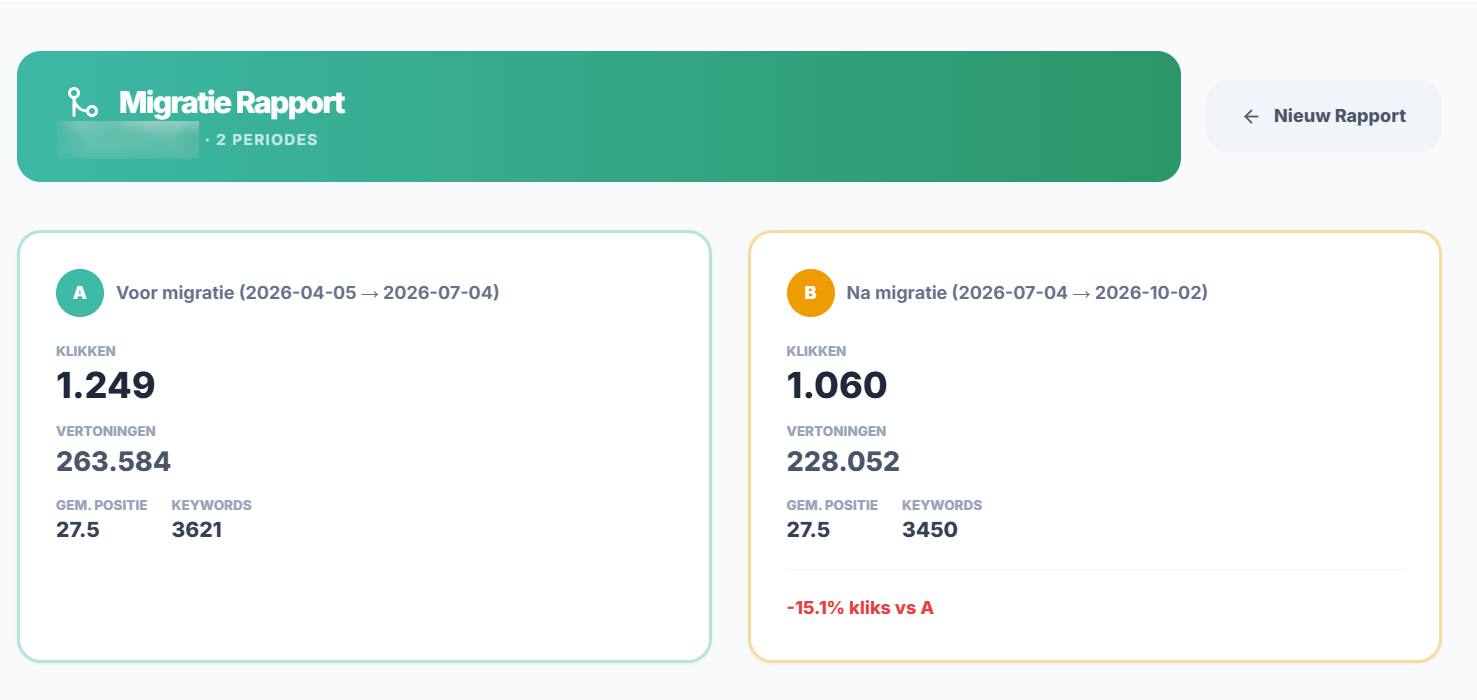
After the migration it's crucial to track its impact. With our tool you easily pull data for both the old and the new website from GSC. Set the migration date and generate before-and-after reports.
Including charts that show at a glance whether your traffic went up or down. And a list of the keywords that lost or gained impressions.
One platform for all your SEO research
In the Architect you bring everything about impressions, clicks, CTR and opportunities together in one central dashboard. Everyone working on your project looks at the same data. No more tasks lost in other tools, no miscommunication, no hours spent on an Excel list of input.
Mind you, valuable content is only one side of the SEO story. Without a technical foundation your website will always rank lower. With our SEO audit tool you crawl your entire website. You get insight into structured data, .htaccess and every issue you should fix as soon as possible. Rather have our SEO agency do a full check? Get in touch. We're happy to think along.
SEO research as the basis for a complete strategy
SEO research is not the finish line. It's your starting point and your guide in every phase of your project. Count on the Architect for your entire SEO approach.
Map out your structure in the Visual Sitemap Builder, write pages with standard modules and use our copy-to-export tool. Then track all your results in detail.
- No separate tools and subscriptions
- One platform from keyword to live page
- Backed by SEO specialists
Want to try our Architect tool? Book a free virtual tour. Explore the platform with our experts and get answers to all your questions.