Optimizing Google My Business
The Importance of Optimizing Your “Google My Business” Listing
Registering your business with Google My Business offers many benefits for your local SEO. To enjoy those benefits, your Google My Business account must be optimized. Just like with every aspect of SEO, there’s a lot of competition here, too. How do you optimize your “Google My Business” account? We’d love to tell you all about it!
Note: We’ve tested these tips and tricks ourselves and found them to be effective for our own clients. Every situation is unique. Test them out and see what works for your business.
Optimizing Google My Business: A Step-by-Step Guide
Step 1: Keyword Research
When creating a “Google My Business” account, people often don’t think about keywords right away. That’s a missed opportunity, because keyword research is the only way to know how your target audience searches for you. Do they search for “bakery + location” or “baker + location”? Keyword research will give you the answer!
Step 2: Conduct a competitive analysis
To figure out how to outperform your competitors, you obviously need to know their strategy. To do this, you’ll need to conduct a competitive analysis. What does their “Google My Business” profile look like? And most importantly: what can you do better?

Step 3: Time to optimize your Google My Business listing
Complete your business information.
Go to your Google My Business account and click “Edit.” The first step in this process is to optimize your business information. Is everything correct and complete? Have you included your keyword in your business information?
Add unique images
Next, take a look at the images. Are there enough images? Do the images make a good first impression?
Showcase your products and services
Be sure to add your products and services to your “Google My Business” listing. That way, potential customers can see at a glance what they can expect from you.
Collect and respond to reviews
Once all of that is in place, it’s time to start collecting Google reviews . This step is absolutely crucial. It builds trust with potential customers, and your keyword often rises to the top automatically. Are you encountering fake or fraudulent reviews? Read all about how to remove Google reviews.
“Google My Business” encourages you to do this. With just one click, you can send a request for a review. Be sure to ask your customer to include your keyword in the review.
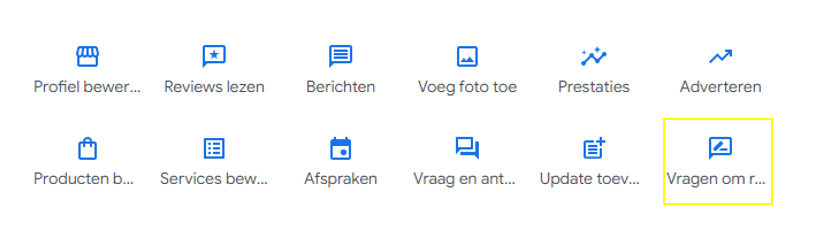
Tip: Respond to every review—especially negative ones. It’s the perfect opportunity to tell your side of the story. This, in turn, builds trust. The more trust you build, the more likely a potential customer is to reach out or click through.
Last but not least: take advantage of all the features of “Google My Business.” The more information you provide, the more Google will favor your listing. For example, share your latest blog posts as “posts” with a link to the full article.
Step 4: Keep optimizing
New competitors are constantly emerging, and your current competitors may also make optimizations. Continue to monitor your ranking and keep optimizing as needed.
Additional Tips & Tricks for Optimizing Your Google My Business Listing
- Select multiple relevant categories. The more closely they match your keyword, the better.
- Include your keyword in your company name. “Bakery Braem” says much more than “Braem BVBA.”
- Enhance your words with images.
- Respond to your reviews; make sure no review goes unanswered.
Need help optimizing your Google My Business profile?
Do you want to be found locally? Are you ready to go all out, and do you have the right SEO mindset? Then we’re a match made in heaven.
Digital Climax is an SEO agency that focuses on results. We help companies achieve better rankings on Google. Together, we climb the search results step by step.
We’d be happy to review your specific case.