Keyword research with Google Search Console
How do you start keyword research with Google Search Console?
Keyword research is often the first step towards SEO optimization. There are many tools available. In this article, we zoom in on Google’s own tool: Google Search Console. A tool with many handy reports, insights, and also keywords.
The disadvantage of Google Search Console for keyword research
Let’s get straight to the point. Google Search Console has one major disadvantage: it only shows keywords for which you have received at least one impression. This means you can’t discover entirely new keywords.
Additionally, the number of impressions isn’t always accurate. This is especially true when you have a fairly low average position. It’s possible that the algorithm shows you sometimes and not others.
So, Search Console falls short on these two factors. Fortunately, there are many other benefits to the tool.
The benefits of Google Search Console for keyword research
Fortunately, the benefits outweigh the disadvantages. You might not be able to use Google Search Console to discover brand-new keywords, but you can use it to find low-hanging fruit.
Google Search Console is free
The tool offers many possibilities and is simply free to use. A big advantage when you consider that various SEO tools can easily cost several hundreds of euros per month.
Data straight from the source
You get data directly from Google itself. So you can assume the data is correct, although you should take some results with a grain of salt.
For instance, search volumes aren’t exact because you aren’t always shown. Comparing with an external tool or a SEA campaign always brings better insights to light.
How do you perform keyword research with Google Search Console?
The most important data for your keyword research in Google Search Console are the number of impressions and your average position.
1) Sort your search results by impressions and then by position
In the performance overview, select both metrics and sort by that data in turn. This way, you find out which keywords are shown frequently.
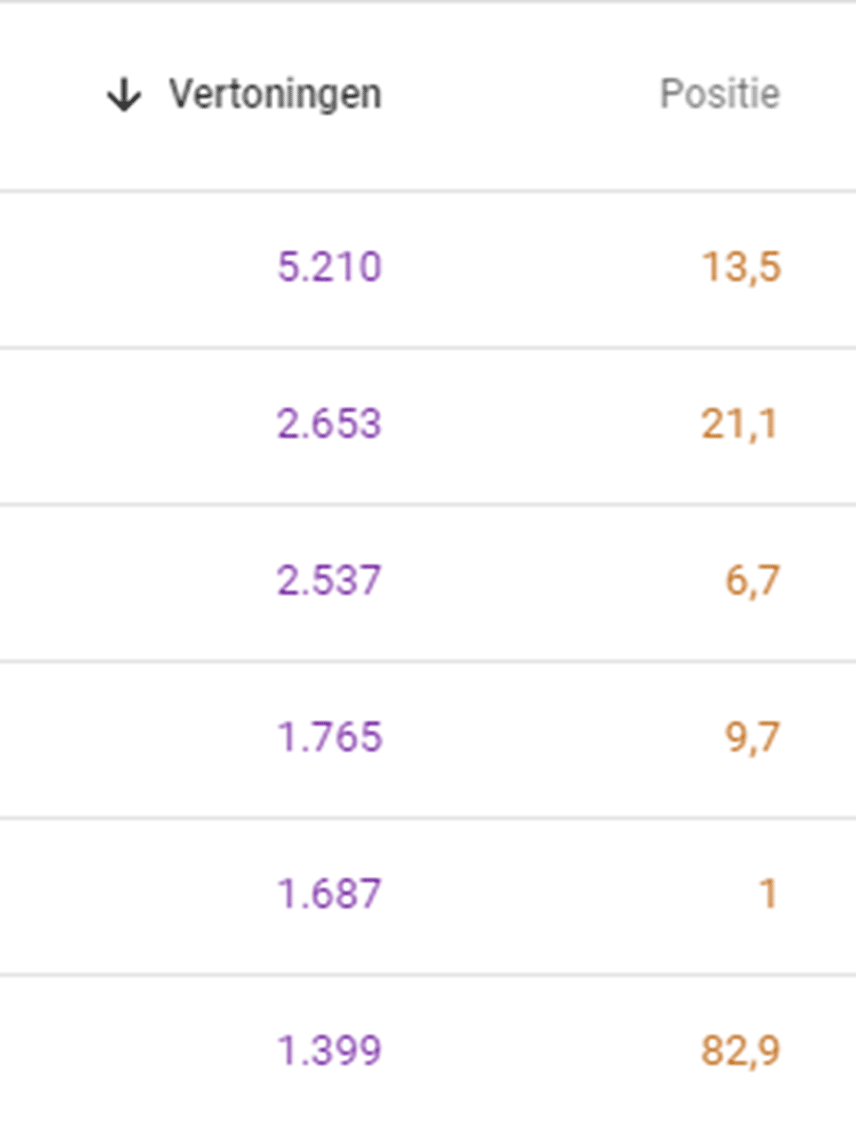
From this, we can see which keywords we are already shown for frequently, but where our position might not yet be high enough to receive clicks.
Going through this list quietly always brings up many content ideas that we can use to create new articles or optimize existing ones.
Next, we sort position in ascending order. The keywords where we already score in the top 10 are less interesting for keyword research. We are looking for search queries where we already score well, but just not well enough.
A few minimal optimizations are often enough to still score on these keywords.
On the other hand, it’s also interesting to discover search queries for which you don’t score at all yet. You can take those topics to future blogs or add them to the page that currently scores on that search term.
2) Look at each search term in detail
It’s recommended to click through on search terms that you think might be interesting.
In the example below, you can see that the number of impressions (purple) increased significantly as we reached higher positions (orange).
The average position of this search query will therefore be slightly lower since we scored less well in the past.
Additionally, the search volume was less accurate in the past since the website wasn’t considered interesting. As a result, we didn’t appear among the search results.

3) Check the pages that score
By checking which pages exactly score for a search query, you also know which page you need to optimize.
In some cases, for example, a ‘wrong’ page scores. This way, you know which page Google prefers and where you can focus your efforts.
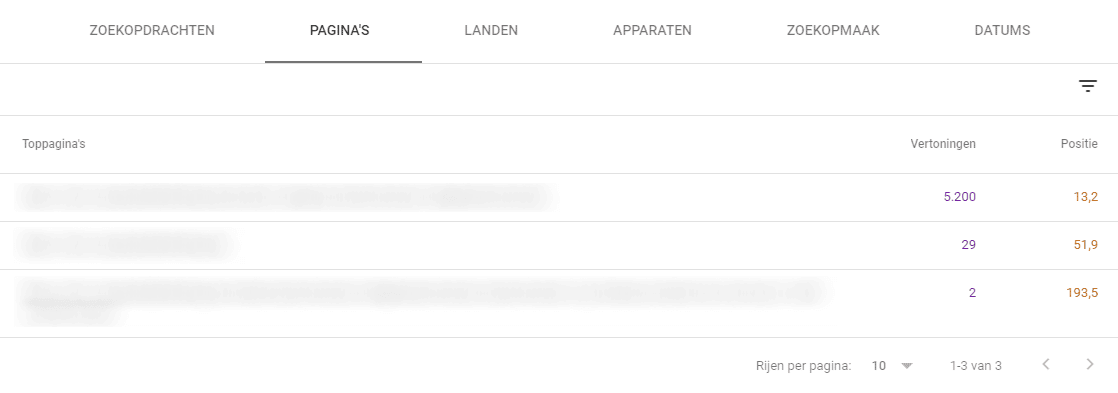
Tip: In the countries filter, only select the country you want to score for. This way, you get more accurate data and avoid SPAM.
Retrieve long-tail keywords with Google Search Console
Advanced users of Google Search Console can work with regular expressions to find other interesting search queries.
Think of long-tail keywords.
With the following regular expression, you can filter for search queries with 8 or more words.
([^” “]*\s){7,}?
You’d be surprised what gems of search queries this handy tip can bring forward.
Optimizing pages with Google Search Console
A reverse way of working is to start from the page you would like to optimize. You then use the page filter and enter a specific URL.
You then get an overview of the different search queries for which the page appeared at least once. Link the position to that, and you know which elements haven’t been mentioned enough yet.
With these insights, you can optimize your page to also score on the other search queries.